
Every help desk has a senior tech who has seen everything, remembers the weird VPN thing from 2019, and knows why the finance printer needs its special ritual. A knowledge base is that person, written down, so their memory survives their vacations, their promotion, and eventually their departure. It sounds like the most boring system in IT. It is closer to the most valuable one, and how you handle it as a new tech shapes your reputation faster than almost anything else you control.
What it actually is
A knowledge base, KB in the daily shorthand, is the desk’s searchable library of answers: fix procedures for known problems, how-to guides, environment quirks, workarounds with their expiry conditions, and the accumulated “oh, that again” of years of tickets. It usually lives inside or beside the ticketing system, and its economics are simple. The first time a problem is solved, it costs an investigation. Written down, every later occurrence costs a search and a read, and problems recur constantly, because the same printers, the same docks, and the same forty applications generate the same tickets on a loop.
Most companies also run a public-facing slice, the self-service portal, where users find password guides and setup articles themselves. Every question answered there is a ticket that never existed, which is why desks invest in it, and why “is this already in the portal?” is a fair thing to wonder about a ticket you keep re-answering.
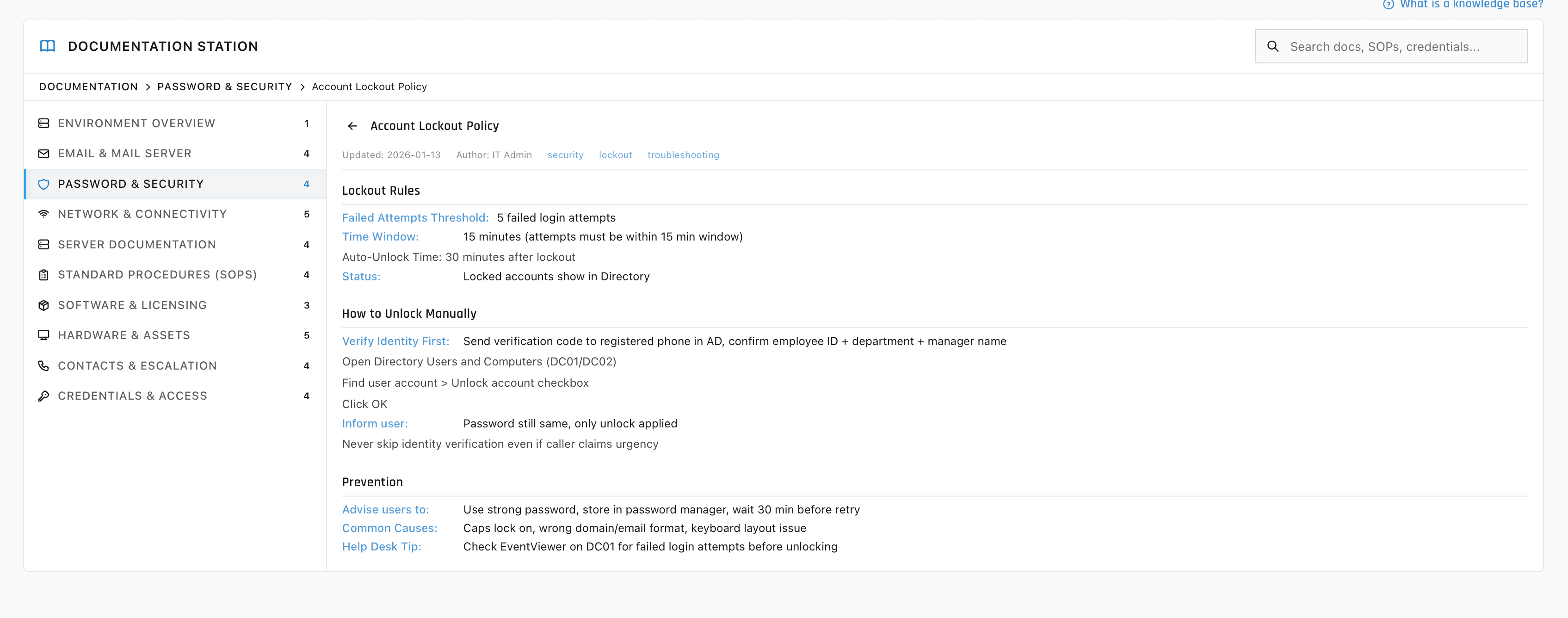
Search first, and search like you mean it
The habit that separates KB-fluent techs from the rest is embarrassingly simple: search before troubleshooting, every time, even when you think you know the answer. A hit means minutes instead of an investigation, and sometimes it means learning the fix you were about to attempt has a landmine in it that someone documented in 2023.
Searching a KB is its own small skill, closer to reading error messages than to googling. Search the exact error text in quotes first, then the application name, then the symptom in the user’s words. Failed searches are information too: a genuinely absent article means you are on new ground, which changes how carefully you work, and what you owe the KB afterward.
Trust, meanwhile, has a shelf life. Environments change, and a KB article describing the old VPN client can be worse than no article, because it sends you confidently down a dead path. Fresh dates and recent edits are credibility signals; an ancient article gets verified before it gets followed, and flagged when it lies. Desks where nobody flags stale articles end up with a KB nobody trusts, which is how the whole system quietly dies.
Writing for it is the career move
Here is the part junior techs chronically underrate. On most desks, anyone can write KB articles, few bother, and the few who do become visible fast, because their name sits on artifacts the entire team uses daily.
The moments to write are easy to spot. You solved something that was not in the KB. You followed an article that was wrong or stale and figured out the truth. You escalated a weird one and the resolution came back worth keeping. You explained the same thing to a third caller this month. Ten minutes of writing while it is fresh, symptoms, environment, cause, steps, verified date, and future occurrences of an investigation-grade problem become read-and-do.
Write for the panicking reader, because that is who opens KB articles: steps in order, exact menu names, what success looks like at the end, and the trap called out before the step that springs it rather than after. If that discipline sounds familiar, it is ticket-notes discipline at article scale, and the tiers above you read both. A tier 2 lead deciding who is ready for bigger things is looking at exactly this kind of evidence.
The portable skill underneath
Learn to metabolize a KB, searching first, verifying freshness, feeding it back, flagging what lies, and you have learned something bigger than any one desk, because every company’s environment quirks are unlearnable except through its collective memory. New-job competence is mostly the speed at which you absorb the local KB.
That skill practices well. The ServiceDesk Simulator includes documentation to consult mid-ticket, so the lookup reflex, check what is known before improvising, gets built into how you work a queue from the start. The techs who look things up close faster than the techs who wing it, in the simulator and everywhere else, and the gap only widens with the years.