
Nobody applies to work in IT because they are excited about voicemail. It is the least glamorous queue on the desk, a little red badge of recordings from people who called at 7am or during the Monday spike when every tech was already on a line. It is also, and I say this with the affection of someone who has worked that badge down to zero many times, one of the most honest measures of a desk. Tickets and chats sit politely in writing. A voicemail is a person who wanted a human, did not get one, and is now waiting to find out whether anyone listens.
What the voicemail queue actually is
A help desk phone line has more demand than techs at least some of the time, and calls that cannot be answered land in a mailbox. Overnight messages from early risers and other time zones, overflow from busy stretches, and the classic Friday 4:55pm “before I head out, my laptop is doing something weird” special.

The thing to understand is that every one of those recordings is a ticket that has not been typed yet. It has a user, a problem, and an implicit clock, exactly like a portal submission, except the details arrive as thirty seconds of audio recorded in a car. Desks that treat the mailbox that way, triaged, logged, and returned inside the same response times as everything else, keep it boring. Desks that treat it as an answering machine to check when things are quiet discover that things are never quiet, and the mailbox quietly becomes where problems go to ferment.
Listening is an extraction job
Playing a voicemail is not the task. The task is pulling structure out of it: who called and the number to reach them back, what is broken in their words, how urgent it actually sounds, and any deadline hiding in the message, because “I present at two” turns a routine problem into a timed one.
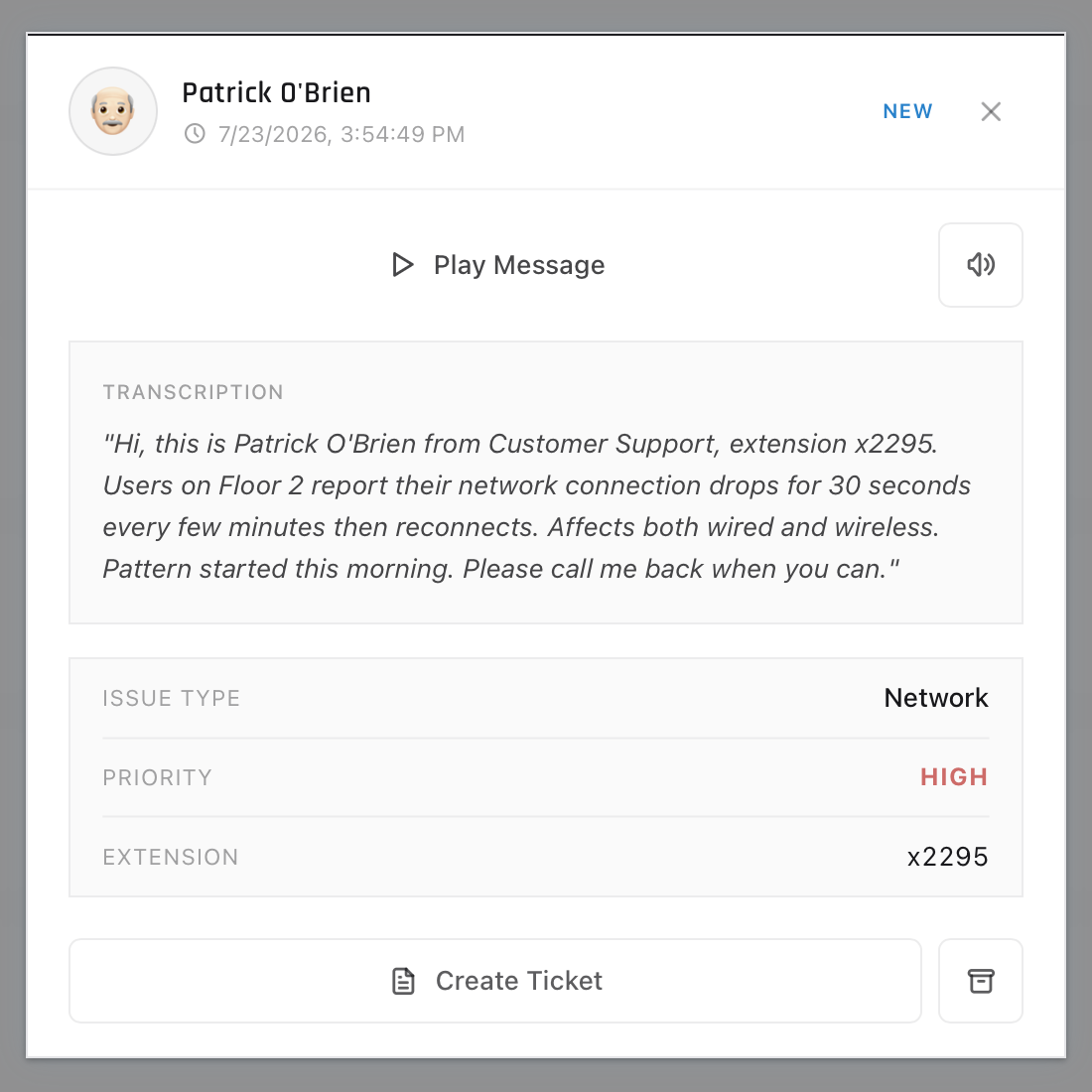
Messages rarely volunteer all of that. People trail off, forget their callback number, or describe the problem as “the thing from before is doing it again,” a message which contains, on close analysis, no information. Part of the skill is noticing what is missing while the recording plays, because whatever the message lacks, the callback has to collect. The other habit worth stealing from veterans is logging the ticket immediately after listening, while the details are fresh, rather than letting five heard-but-unlogged messages pile up in your head. A voicemail you listened to and did not log is in the worst possible state: the user believes IT knows, and IT has no record that anyone does.
The callback
The callback is a live support call with an extra opening move: you reference their message so they do not have to start over, confirm the essentials the recording skipped, and then run the call like any other, verify, narrow, fix or set expectations.
Two things make callbacks feel different from inbound calls. First, latency has already happened. However fast you called back, the user has been waiting since they hit record, so acknowledging that up front costs nothing and defuses much. Sit on a voicemail for two days and you will get to practice handling an angry user you created yourself. Second, callbacks miss. People step into meetings, and now you are leaving a voicemail about their voicemail, a small absurdity the ticket should record so the trail shows IT responded even if the phones never aligned. Note the attempt, send an email with the same content, and the clock is honestly answered.
Why this is worth practicing
Voicemail work is triage in its purest form: a queue of unstructured problems, each needing the same judgment call about urgency and routing that a day on the desk demands over and over. It also builds the habit that underlies all of it, turning a messy human account of a problem into a clean, actionable record, which is most of what tier 1 is.
The trouble with practicing it is that you need a queue of realistic messages, and real desks are protective of theirs. In ServiceDesk Simulator, missed calls land in a voicemail tab where you play back the recording, extract what matters, and call the user back to work the issue live. Work through enough of them and the little red badge stops being intimidating, which is roughly the moment you become the person on the desk who keeps it at zero.