
Every few years someone declares the support phone dead. Chat will replace it, then the self-service portal, then the chatbot. And yet on every help desk I know of, the phone keeps ringing, because when a laptop will not boot, the one thing the user cannot do is open a chat window on it. Phone is the channel people reach for when the problem is urgent, confusing, or has taken their other channels down with it. That makes call handling a core skill, not a legacy one, and it has more structure than it looks like from outside.
The shape of a call
A support call has a skeleton, and once you see it, every call becomes a variation on it rather than a fresh improvisation.
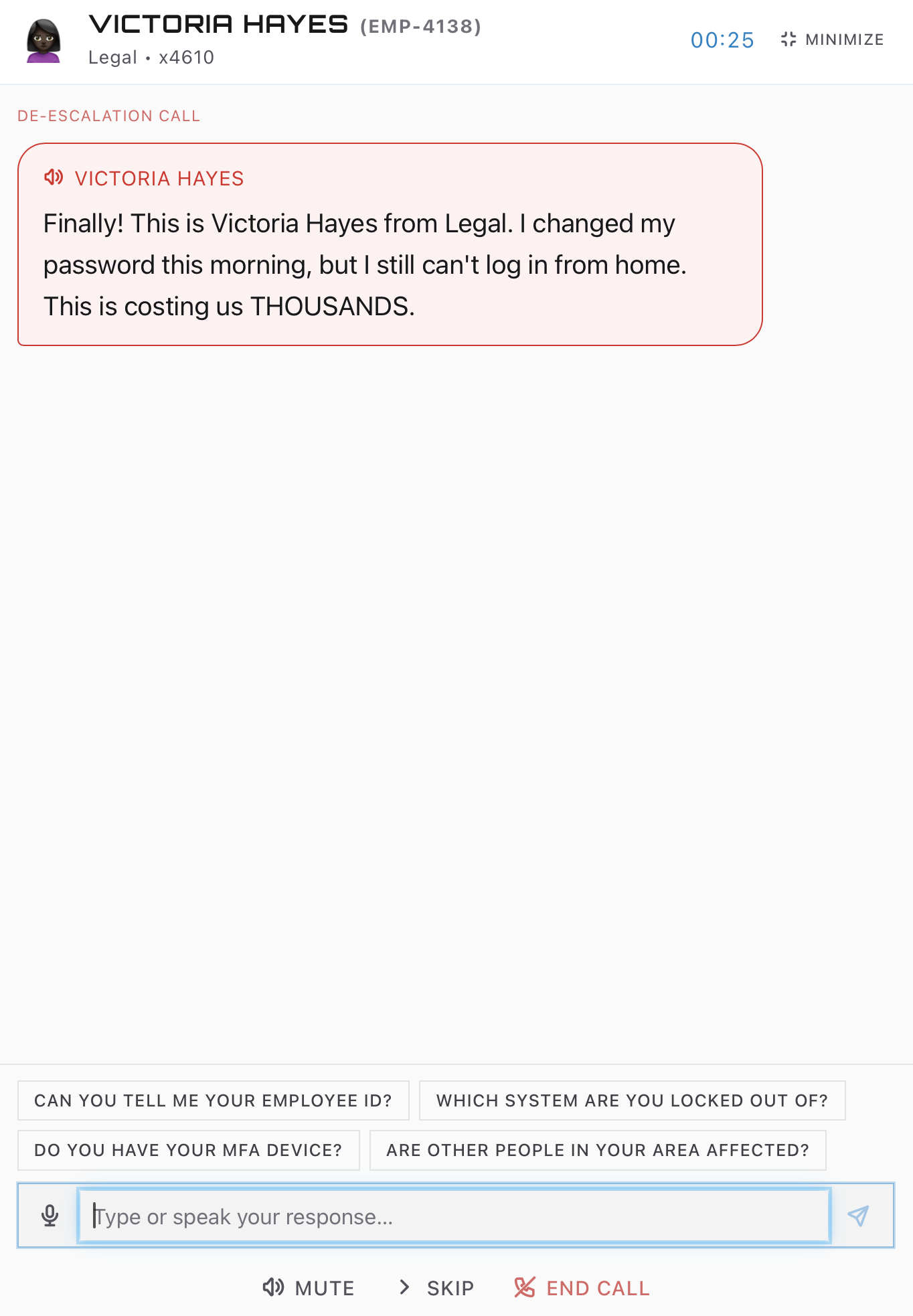
It opens with a greeting and a name, usually a line your desk standardizes so callers know they reached the right place. Then comes verification, which feels bureaucratic and is actually security: you are about to make changes to an account, so you confirm the person on the line owns it. The phone is the oldest social engineering channel in existence, and a tech who skips verification because the caller sounded friendly is the reason phishing crews love calling help desks. The questions vary, employee ID, manager’s name, a code from an authenticator app, but the principle is constant. Friction now beats a hijacked account later.
Then the actual work starts: the user describes the problem in their own words, which are almost never the words in the eventual ticket. “My email is broken” might mean Outlook will not open, or mail is not arriving, or one specific attachment will not preview. The middle of every call is narrowing, asking what exactly they see, when it started, whether it worked yesterday, whether a colleague nearby has the same problem. Two minutes of good questions routinely saves twenty minutes of wrong troubleshooting.
After that the call forks. Some problems resolve live, often by remoting into the machine while the user watches. Others need work the caller cannot wait on hold for, so the call ends with expectations instead: what you will do, roughly when, and how they will hear back. Setting that expectation clearly is half of what separates a call users rate well from one they rate badly, even when the fix itself is identical.
Every call becomes a ticket
Here is the rule new techs resist and veterans never break: there is no such thing as a call without a ticket. The quick password reset you handled in ninety seconds gets logged. The wrong-number transfer gets logged. It feels like paperwork for its own sake until you understand what the log is for: it is how the desk sees patterns, five calls about the same server this hour means an outage, how your work gets counted, and how the next tech avoids re-living your investigation when the same user calls back.
The habit worth building early is writing the ticket during or immediately after the call, while the details are still warm. A ticket written from memory at the end of a shift says “user had email issue, resolved.” A ticket written live says which error, which mailbox, which fix, and that difference is the difference between a knowledge base that answers questions and one that gestures at them.
The parts nobody warns you about
Some calls are hard for reasons that have nothing to do with technology. Users call the help desk on their worst day at work, with a deadline bleeding out, so a certain fraction arrive already angry, and handling that heat without absorbing it is its own skill. Some callers cannot describe what they see, and you learn to navigate a screen you cannot look at through the eyes of someone who calls everything “the thingy.” And some calls you should not finish alone: recognizing early that a problem belongs to tier 2 and handing it off cleanly, with your notes attached, is a mark of experience, not defeat.
There is also the unglamorous mechanical layer. Hold etiquette, ask before you do it, come back before they wonder if you left. Callbacks when you promised them, because a missed callback converts a neutral user into an angry one at zero cost to you. And the voicemail queue, since callers who could not reach you leave recordings that need the same triage a live call would get.
Reps are the only way
Everything above is easy to nod along with and genuinely hard to do at speed with a real person waiting on the line. The structure only becomes automatic through repetition, which is awkward when the traditional place to get repetitions is a job you do not have yet.
That gap is what ServiceDesk Simulator is built for. Callers ring in with real problems, they talk back, some of them are having a very bad day, and every call needs verifying, narrowing, fixing, and logging, the whole skeleton under realistic pressure. By the time a real phone rings at a real desk, the shape of the call is already muscle memory, and you can spend your attention on the problem instead of the process.