
Strip away the tools and the jargon and a help desk is a queue of problems and a system for working through them in order. That system is the ticketing system, and it is the one piece of software you will touch on literally every shift. Learning to work it well matters as much as any technical skill.
What a ticket is
A ticket is a tracked record of a request or a problem. When someone needs help, a ticket captures who they are, what they need, how urgent it is, who is handling it, and a running log of what has been done. The point is that nothing falls through the cracks and anyone can pick up where someone else left off. Without tickets, a help desk is just a pile of half-remembered phone calls.
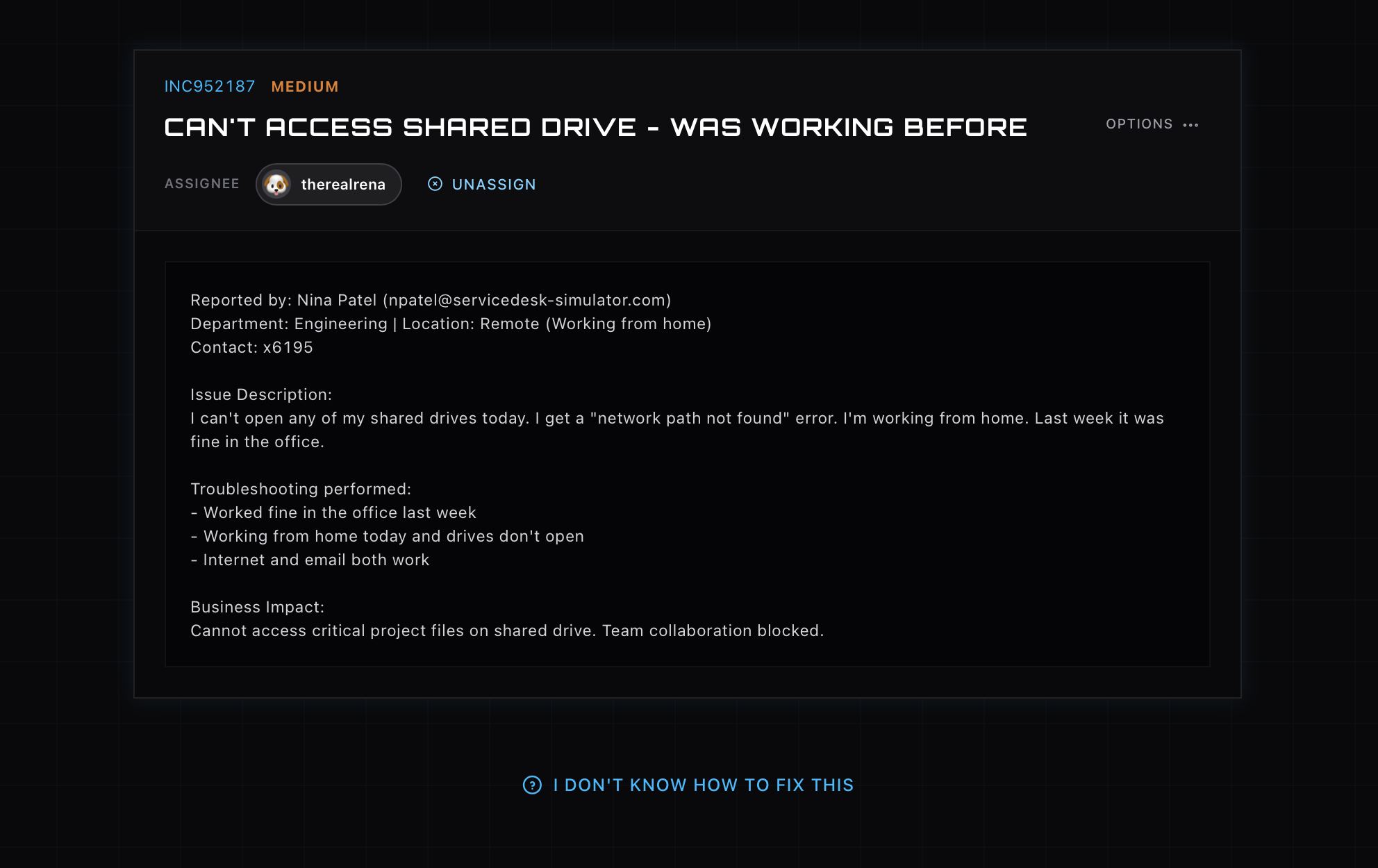
How a ticket moves
Most tickets follow the same arc. They open when someone reports an issue. They get assigned to a tech, sometimes automatically, sometimes when you claim one from the queue. They move to in progress while you work. They reach resolved when the fix is in and confirmed, and finally closed once the user is satisfied. Knowing that flow, and keeping a ticket’s status honest as you go, is half of looking competent on a help desk.
Incidents, requests, and priority
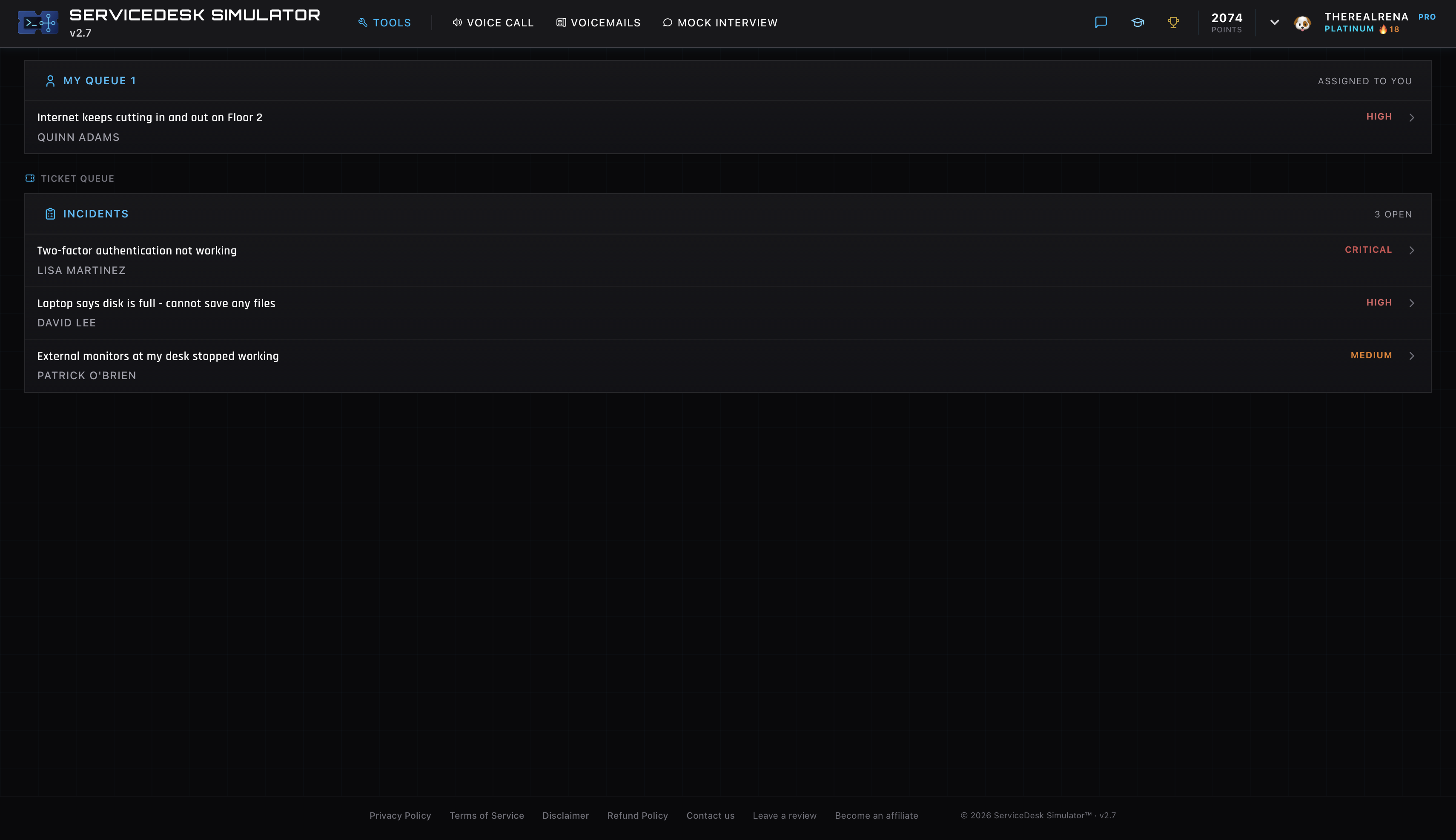
Two distinctions shape the day. First, incidents versus requests. An incident is something broken, like a server down or an account locked. A request is asking for something, like new access or a replacement laptop. Second, priority. A critical outage affecting many people gets worked ahead of a routine question, and the targets for how fast you respond and resolve are set by service level agreements, the SLAs that quietly drive the order of the queue.
The brands you will meet
The system itself varies by company. ServiceNow is the heavyweight in large organizations. Jira Service Management is common, especially where the company already uses Jira for software work. Zendesk and Freshservice show up a lot in smaller and mid-sized firms. They look different, but the underlying ideas, queues, statuses, priorities, and SLAs, carry across all of them, so learning one teaches you most of the next.
The habits that make you good
The technical fix is only part of a ticket. Good techs write clear notes so the next person understands what happened, keep the status current so nobody chases a ticket that is already moving, and resist closing a ticket before the problem is actually solved. The simulator is itself a ticketing system, queue and all, so the rhythm of claim, work, resolve, and document becomes second nature before it counts.