
Security teams get the headlines, but phishing gets caught, or doesn’t, at the help desk. The report comes in as an ordinary ticket: “this email looks weird.” What happens in the next twenty minutes matters more than most of the security software the company owns.
What the lures look like
After a few months on a desk you can smell them. The password-expiry notice from a domain that is almost, but not quite, Microsoft. The missed-package text with a link. The invoice attachment from a supplier nobody has heard of. The message from the CEO, oddly informal, needing something urgent and quiet, usually gift cards or a wire transfer.
Different costumes, same trick underneath: manufactured urgency plus a request the sender should not be making. Real IT departments do not ask for your password by email. Real executives do not settle invoices through gift cards. The emails work anyway, on smart people, because they arrive during a busy afternoon and borrow just enough real detail to pass a glance. Attackers pull names and titles from LinkedIn, and the result reads plausibly enough that clicking feels routine.
The right response to a report
First, thank the person. Sincerely, every time. A user who reports a weird email instead of deleting it or, worse, clicking to see what happens, just did your security team’s job for them, and users who get thanked report again. Users who get made to feel dumb stop reporting, and that silence is how the successful attack eventually walks in unannounced.
Then the mechanical part. You or the security tier will look at the actual sender address behind the display name, check where the links really point, and search whether the same message hit other mailboxes, because phishing rarely arrives as a single email. If it went to forty people, it gets purged from all forty inboxes before number seventeen clicks it. The sender or domain gets blocked, and the report gets logged, because patterns across reports are how campaigns get spotted.
On most desks tier 1 does the intake and the obvious checks, then escalates to whoever owns security. Knowing exactly where that line sits on your desk is something to learn in week one, not during your first incident.
The call that starts with “I clicked it”
Sooner or later someone calls and admits they clicked the link, and maybe typed their password before the page struck them as odd. How you take this call is a genuine skill.
No scolding. Not because feelings outrank security, but because speed does, and shame slows people down. A user who expects a lecture reports the click on Thursday instead of Tuesday, and those two days are the attacker’s whole window. You want a desk where admitting the click feels safe and immediate.
Then you treat the account as compromised, full stop, even if the user swears the page “didn’t do anything.” The password gets reset now, not after lunch. Sessions get signed out everywhere. MFA gets checked, because a stolen password with no second factor is a stolen account. Someone reviews recent sign-in activity for logins from places the user has never been, and anything suspicious moves the ticket from cleanup to incident.
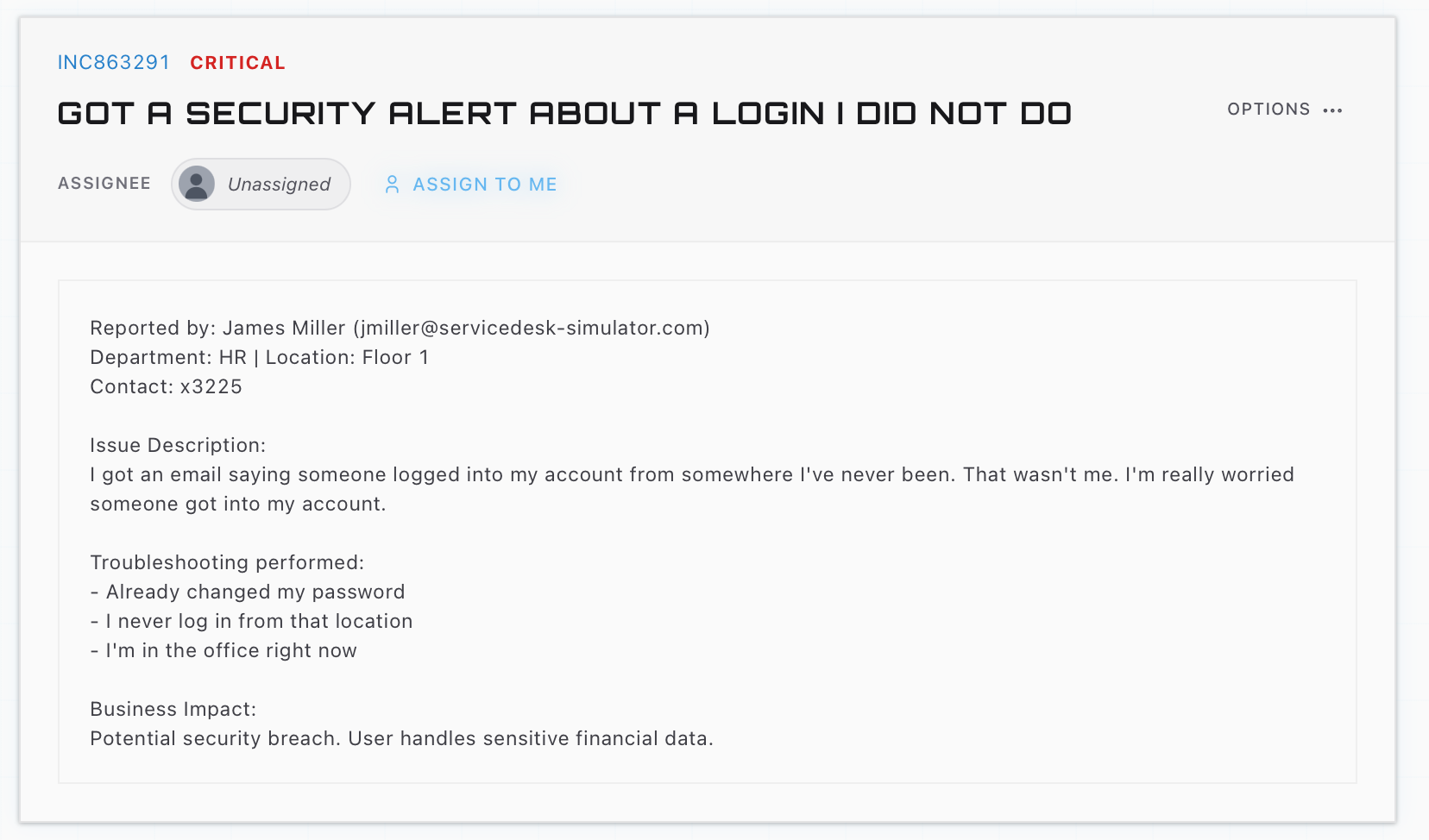
That last part is why phishing and suspicious sign-ins are really one topic. The email is the bait. The sign-in from a strange country three hours later is the bite, and desks that connect those two tickets catch attacks that desks treating them separately miss.
Practicing the judgment
The hard part of phishing response is the judgment under mild panic: is this real, how far did it get, what gets locked down first. The ServiceDesk Simulator runs you through the security side of the desk, including suspicious sign-in tickets where you scan the machine, verify the user, and decide when escalation is the right call. Doing that a dozen calm times is what makes the eventual real one feel like a procedure instead of an emergency.