
Ask anyone who has worked a help desk what ticket they have closed the most, and you will get the same answer every time. Somebody cannot log in.
It sounds too basic to write a whole post about. It is not. Password tickets are where new techs make their first real mistakes, and where attackers make their easiest money. Getting good at this one ticket makes the rest of the queue feel calmer.
Locked out and forgot are two different tickets
The words on the ticket are usually “I can’t log in,” but there are two separate problems hiding behind that sentence, and they get two different fixes.
A lockout means the account tripped a security counter. Someone, or something, typed the wrong password too many times, and the directory froze the account to stop a guessing attack. The password itself is still fine. You clear the lockout and the person logs in with the same password they have always had.
A forgotten password is the other case. The person genuinely does not know it anymore, so no amount of unlocking helps. You reset the password to a temporary one, they log in, and the system makes them choose a new one on the spot.
Mixing these up is the classic rookie move. Reset a password for someone who only needed an unlock and you have just changed a password they knew, broken every place it was saved, and turned one ticket into three.

Why accounts lock themselves
Here is the part that confuses users the most. Accounts often lock with nobody typing anything.
The usual culprit is a stale saved password. The person changed their password last week, but their phone is still trying to check company email with the old one, quietly failing every few minutes until the counter trips. A mapped network drive, an old remote session on another machine, or a scheduled task with saved credentials will do the same thing. The account locks, you unlock it, and ten minutes later it locks again, which is your clue that a device somewhere is still replaying the old password.
So when a lockout ticket repeats, the fix is not another unlock. It is a hunt for whatever is still holding the old credentials, and the caller’s phone is suspect number one.
The verification step is the actual job
Before you touch the account, you confirm the caller is really its owner. This is worth saying plainly. Calling a help desk and pretending to be a locked-out employee is one of the oldest social engineering tricks there is, and it still works on desks that treat verification as a formality.
Your desk will have a script. Employee ID, manager’s name, a callback to the number on file, an MFA prompt to a registered device, whatever the policy says. Follow it every single time, including when the caller is impatient or important. Especially then, because urgency and authority are exactly the levers an attacker pulls. A tech who resets a password for a convincing voice on the phone has handed over the keys, and it happens at real companies more often than anyone likes to admit.
Running the ticket end to end
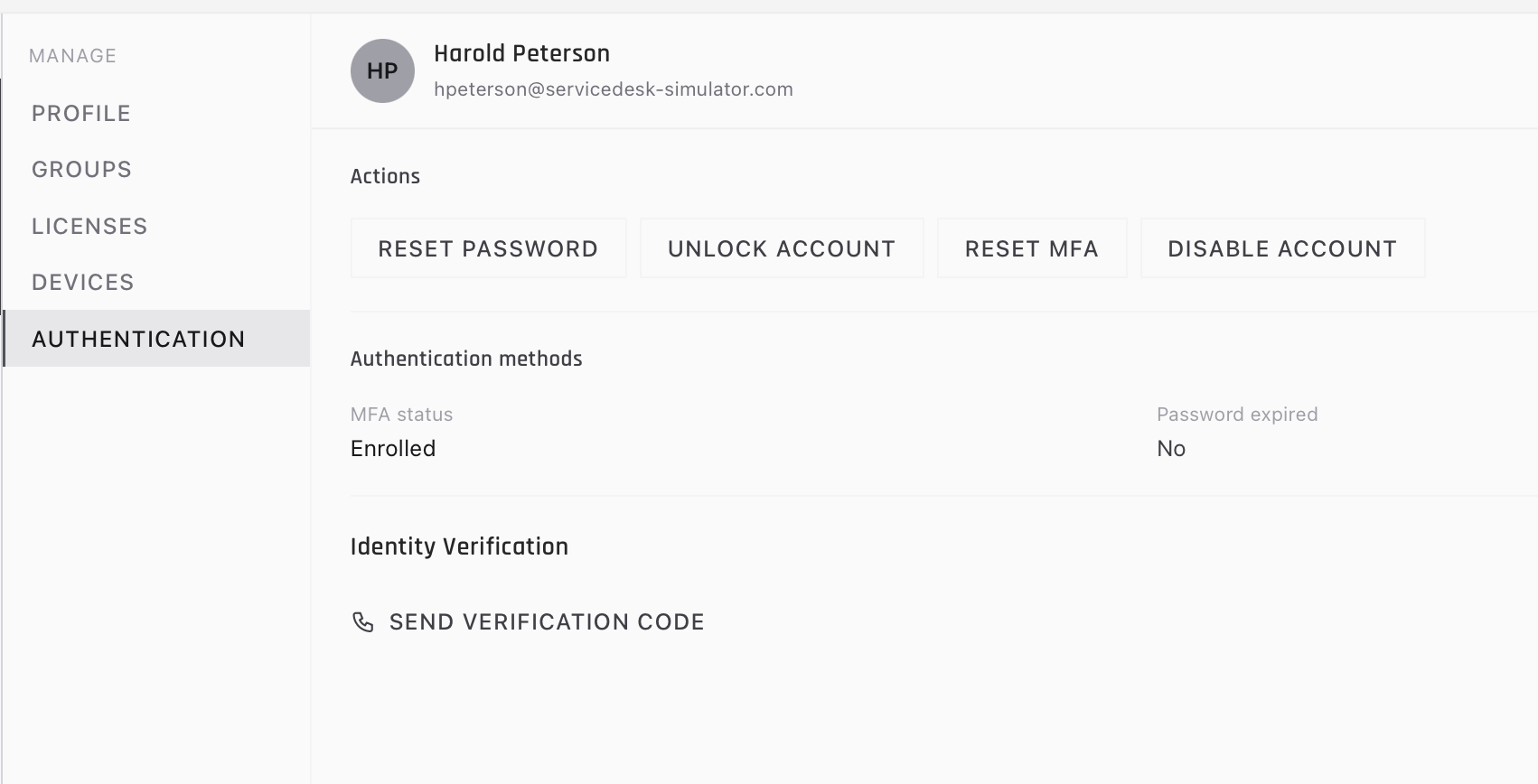
A clean password ticket runs like this. You find the account in Active Directory and look at its status, because the account view tells you whether it is locked, disabled, or expired before the caller finishes explaining. You verify the person. Then you unlock if the password is known, or reset to a temporary password if it is not, and stay on the line while they log in. Closing the ticket before they have actually gotten in is how “solved” tickets bounce back an hour later.
Disabled is its own case, by the way. If the account was deliberately disabled, that is usually HR or security territory, and quietly re-enabling it because someone asked nicely is a fast way to have a very bad meeting.
Where to get the reps
You cannot practice this on a real company directory until someone hires you, which is the standing catch of help desk work. The screenshots in this post are from the ServiceDesk Simulator, where locked and expired accounts come in as live tickets with a caller on the other end. You search the directory, verify the person, and make the call between unlock and reset yourself. Do that twenty times where a mistake costs nothing, and the real thing stops being stressful and starts being routine.