
There is a moment in every support career when networking stops being a fog. Before it, half your tickets contain a mystery: why the VPN fixes the missing drive, or why a ping works when the website does not. Network+ is the certification built to cause that moment on purpose.
Whether it is worth your money depends mostly on when you take it, so let us get the sequencing question out of the way first.
Second cert, not first
If you are aiming at a help desk job with no experience, the A+ comes first. Not because Network+ is worse, but because A+ maps to the job you are applying for and recruiters scan for it at entry level. Network+ is what you take next, once you are working or once the A+ is behind you, and the general cert sequence on this blog has said the same thing all along: these deeper certifications are worth more when you have some hands-on context to hang them on.
The exception is honest ambition toward network work specifically. If you already know you want to end up in networking rather than general support, some people jump straight in, and that is a defensible path. For everyone else, A+ then Network+ is the boring answer because it is the right one.
What it actually covers
Network+ is vendor-neutral networking from the ground up. Addressing and subnetting, the protocols underneath everything, DNS and DHCP in real depth, wireless standards, common ports, network hardware, and a solid block of troubleshooting methodology. It is the theory behind every command line tool you have been using on faith.
Fair warning about the character of the exam: it demands memorization in a way A+ mostly does not. Port numbers, subnet math, and acronym soup have to be cold, not familiar. People who breezed the A+ sometimes walk into Network+ casually and walk out surprised.
Where it pays off on the desk
Here is the practical case for it. A large fraction of help desk tickets are networking tickets wearing disguises. “The internet is down” is a DHCP, DNS, or Wi-Fi question. “My drive is missing” is a VPN question. “The site is slow” could be six different layers. A tech who can place the problem on the right layer in one minute instead of guessing for twenty is visibly better at the job, and that visibility is what gets people pulled toward tier 2.
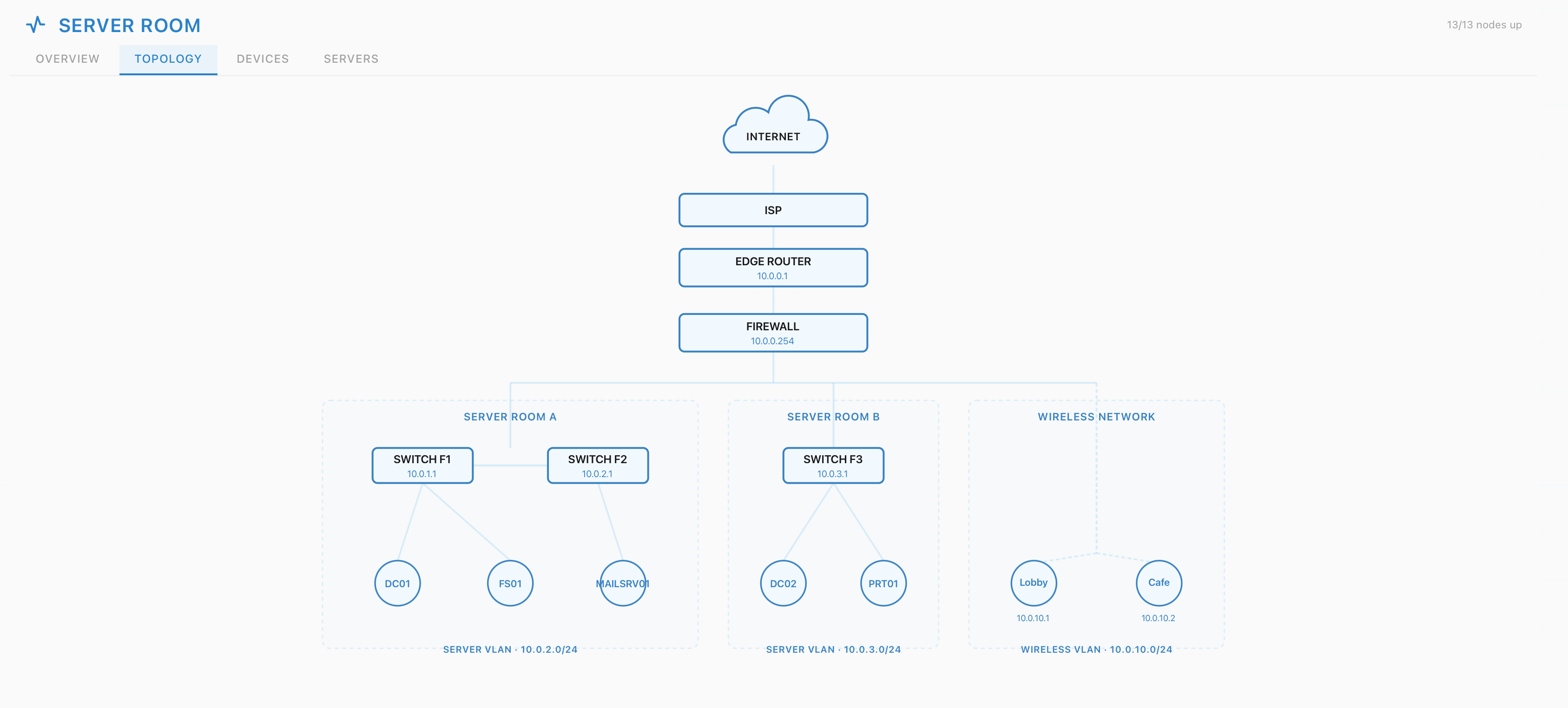
The credential itself opens doors mostly at the next level: desktop support, junior network roles, MSP jobs where you touch routers daily. For pure tier 1 hiring it is a nice-to-have on the posting, rarely the gate. So the honest framing is that you take Network+ less to get the first job and more to be conspicuously good at it, and to aim the career at what comes after.
Studying so it survives the exam
The failure mode with Network+ is passing it and forgetting it, because subnetting practiced only on paper evaporates. The fix is the same as ever: attach every concept to something you have actually done. When the course covers DHCP, go break and repair an IP configuration. When it covers DNS, trace a real lookup. Working tickets in the ServiceDesk Simulator while you study gives the theory somewhere to live, because diagnosing a simulated outage with the exact tools the exam describes turns a flashcard into a memory.
Practice exams, as always, are the honesty mechanism. When you are consistently passing those, book the real one. When you are not, the gap they reveal is the study plan.
The verdict
Worth it, at the right moment. Take it after the A+, ideally with a few months of real or simulated ticket work behind you, and Network+ converts the most confusing half of support work into something you can see clearly. Taken too early, it is memorized trivia with nowhere to attach. The certification is fine either way. The timing is what decides whether you got your money’s worth.