
You do not need to be a command line wizard to work a help desk. You do need a small set of commands at your fingertips, because they answer the questions that come up in network tickets faster than any amount of clicking through menus. Here are the ones worth knowing cold.
ping
Ping is the first question you ask: can I reach this thing at all. You ping a server or a website and it tells you whether the machine answers and how long it takes. A reply means the path is open. No reply means something between you and the target is broken, and now you have a direction to look. It is the quickest way to split a vague “the network is down” into a real lead.
ipconfig
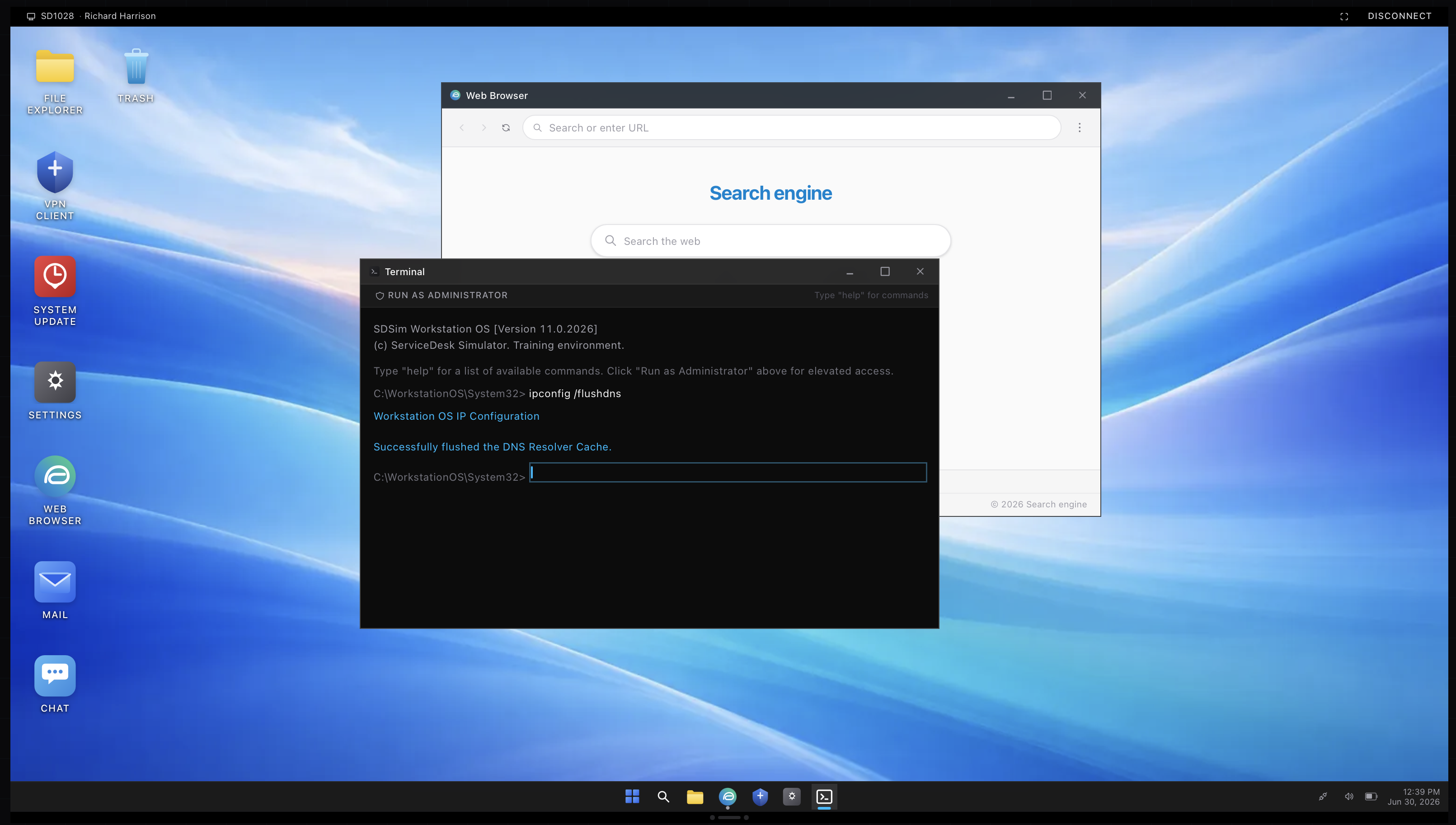
Ipconfig shows the machine’s own network setup, its address, its gateway, its DNS servers. That alone settles a lot of tickets. A machine with no proper address, or an address starting with 169.254, is not getting one from the network, which is a DHCP problem. Ipconfig also carries the small repairs you will lean on, including flushdns to clear cached name lookups and release and renew to grab a fresh address.
nslookup
Where ping asks “can I reach it,” nslookup asks “does this name point to the right place.” It looks up a name and reports the address the network thinks it belongs to. When someone can reach a site by its address but not by its name, nslookup is how you confirm the name resolution is the broken part rather than the connection.
The rest of the kit
A few more earn their place. Tracert traces the path to a destination and shows where it stops, useful when something far away is unreachable. Netstat lists the connections a machine has open. Gpupdate refreshes Group Policy when a setting should have applied but did not. Sfc and chkdsk check and repair system files and the disk when a machine is behaving strangely. You will not use all of them daily, but knowing they exist means you reach for the right one instead of guessing.
Practicing for real
Reading about commands does not build the reflex. The terminal in the simulator takes real commands, so you can run ipconfig and ping against a machine that actually responds and see the output you would see on the job. The screenshot above is from that terminal. A little practice and these stop being intimidating and start being the first thing you try.