
Your first week on a help desk, someone calls because they cannot log in. You open one tool to sort it out, and nine times out of ten that tool is Active Directory.
It sits behind almost every account task in a Windows company. If you want a help desk job, this is the system you will touch most, so it pays to understand what it actually is instead of just memorizing button clicks.
What Active Directory actually is
Active Directory is Microsoft software that stores and manages the accounts inside a company. Every employee has a user account in it. Every work computer is registered in it. Groups inside it decide who can open which folders, who can use the VPN, who gets which software license, and who can sign into which servers.
When you log into a work PC with your username and password, the computer checks those details against Active Directory in the background. That check is what lets you in and then loads your files and your company’s settings.
Most people shorten the name to AD. You will also hear “the domain,” which is the network AD controls, and “domain controller,” which is the server that runs it.
On-premises AD versus Entra ID
There are two flavors, and the names trip people up.
The original is on-premises Active Directory, which runs on servers inside the company building. The newer cloud version is Microsoft Entra ID, which used to be called Azure Active Directory or Azure AD. Plenty of companies run both at once and sync accounts between them, so do not be thrown when you see the old and new names used in the same conversation.
For a first help desk role you mostly need the on-premises picture, because that is where password resets, account unlocks, and group changes usually happen. The cloud side matters more as you move up.
What you do with it every day
The jobs come back again and again. Someone forgets their password, so you reset it and hand them a temporary one. Someone types their password wrong too many times and the account locks, so you unlock it. A new hire starts, so you create their account and add them to the right groups. Someone leaves, so you disable their account. Somebody moves from Sales to Finance, so you swap their group memberships to match.
Groups are the part new techs tend to underrate. Access in a company gets handed out through group membership, not one setting at a time. Need someone to reach the Finance shared drive? You add them to the Finance group. Need to give them the VPN? There is a group for that too. A large share of access problems come down to a missing group, so checking membership becomes one of the first moves you reach for.
Confirm who you are talking to first
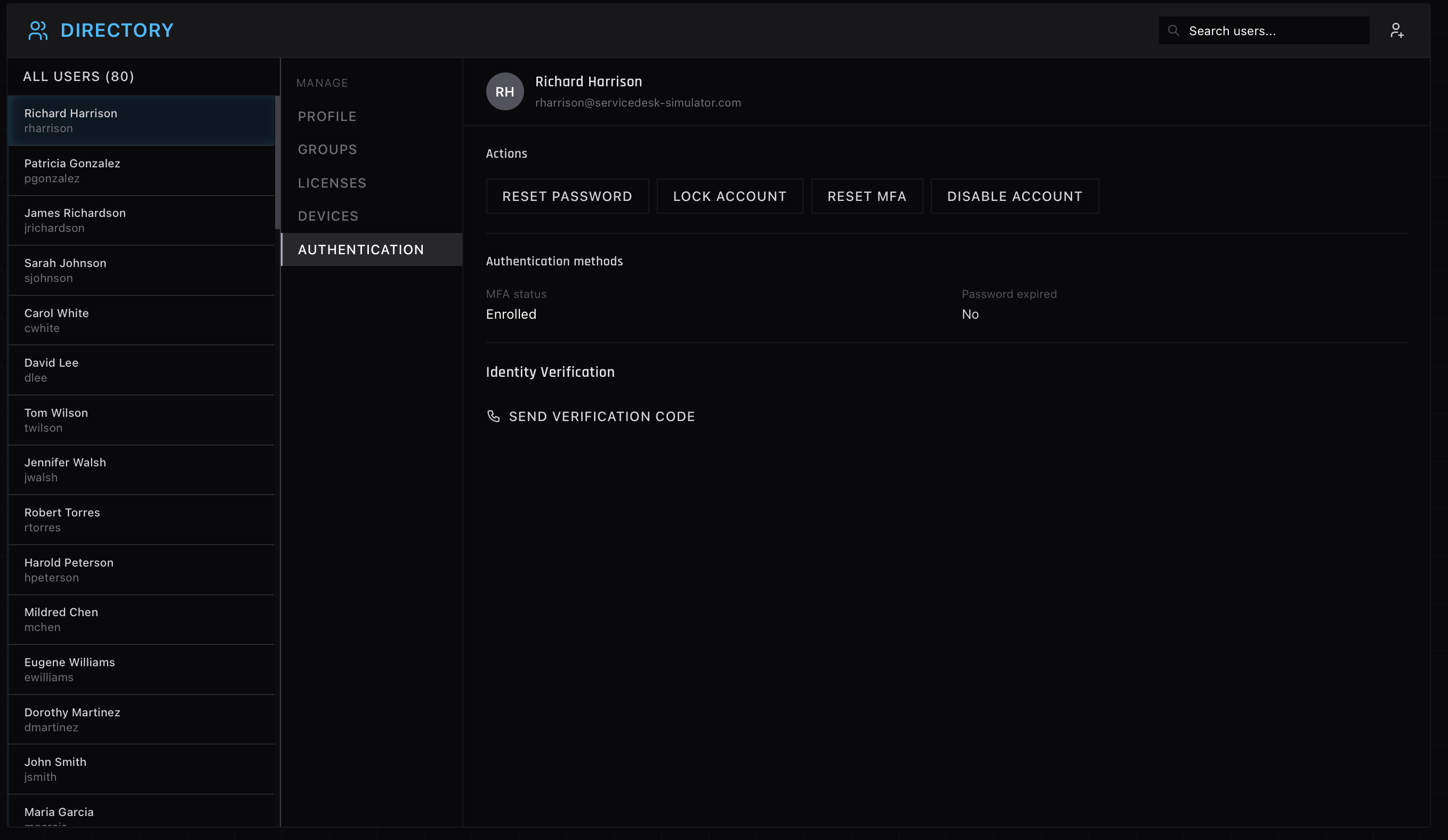
Before you reset a password or unlock an account, you confirm the person on the phone is who they say they are. A password reset is one of the easiest ways for an attacker to talk their way into a company, so identity checks are not busywork. They are the actual job. Good help desks have a script for this, and you follow it every time, even when the caller is in a hurry and irritated.
How to get hands-on before you have the job
The catch with Active Directory is that you cannot practice it at home. You need a company network, live accounts, and a queue of tickets, and nobody hands a beginner the keys to that.
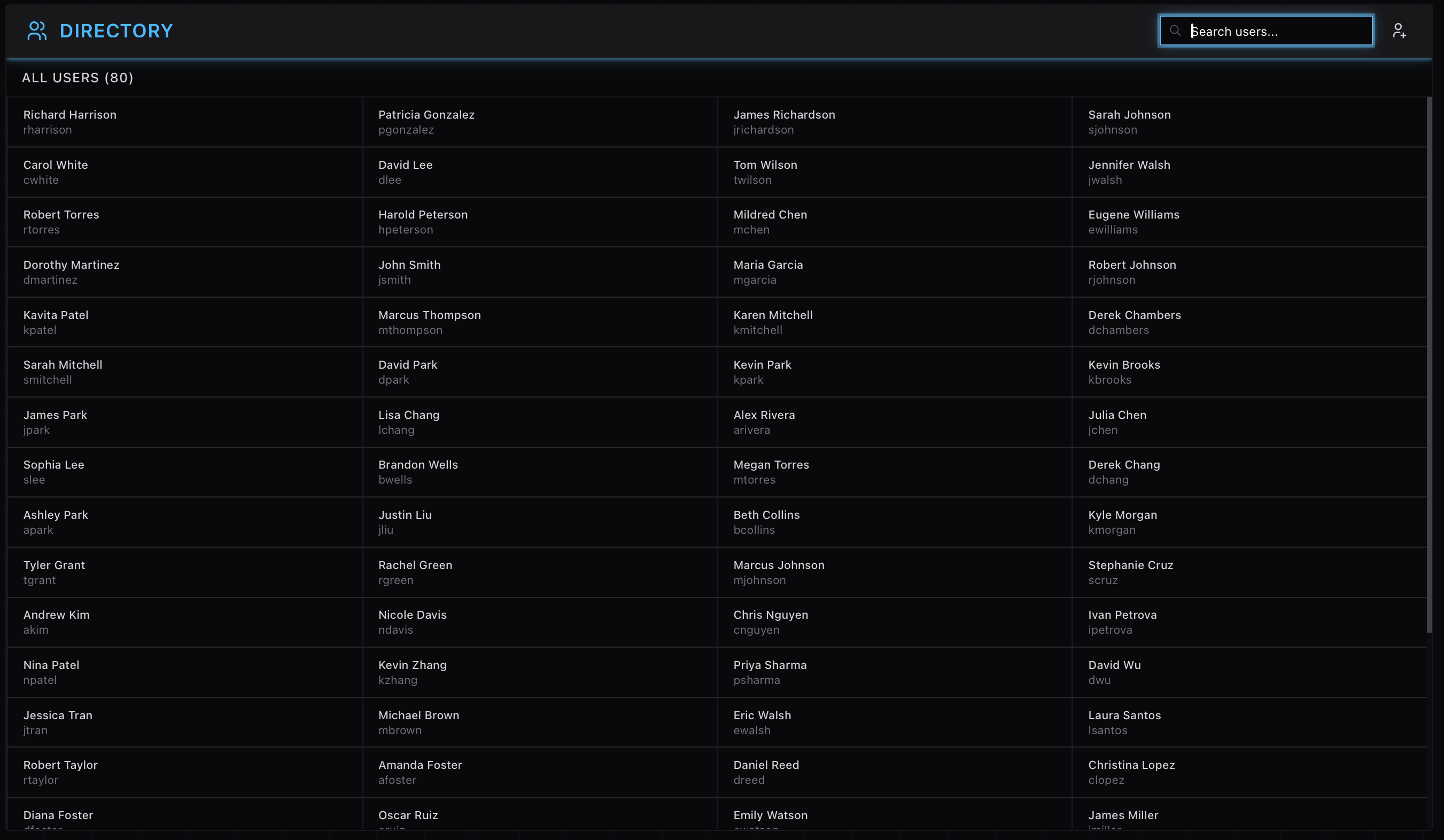
The screenshots above are from the AD panel in the ServiceDesk Simulator, which is where I point people who want the reps before they have the access. You search for the user, check their groups, confirm who they are, and make the change, the same loop a real shift runs on. Fumble a few resets where it costs nothing, and your first real lockout call feels like the tenth.