
A laptop gets left in a taxi. Without encryption, whoever finds it can pull the drive, plug it into another machine, and read every file on it. BitLocker is what turns that lost laptop from a data breach into a shrug.
What BitLocker does
BitLocker is Microsoft’s full-disk encryption, built into the business editions of Windows. It scrambles everything on the drive and only unscrambles it for someone who can prove they are allowed in, normally by the machine booting up as expected and the right person signing in. Pull the drive out and read it somewhere else and you get noise, not documents.
Most of the time it is invisible. The user turns the laptop on, logs in, and never knows encryption is happening underneath. That is the point. Security that people have to think about is security people switch off.
The recovery key, and why it exists
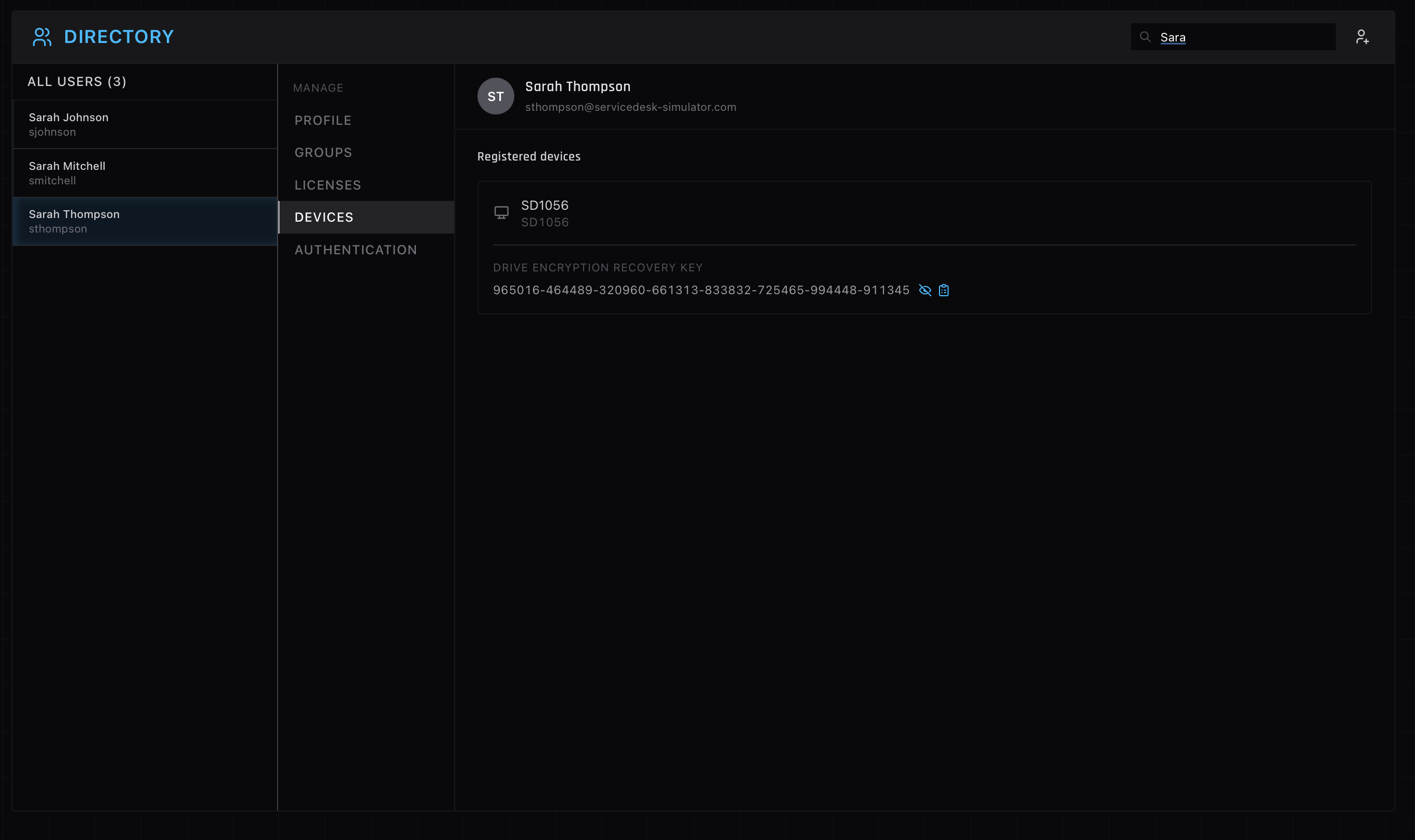
Sometimes the normal unlock path does not fire, and BitLocker falls back to asking for a recovery key. That key is a long string of numbers generated when the drive was encrypted. A company does not leave it on the laptop, for obvious reasons. It gets stored centrally, in Active Directory or Microsoft Entra ID, so that IT can retrieve it when someone needs it. Looking up that key is one of the recurring tickets you will handle.
What triggers the call
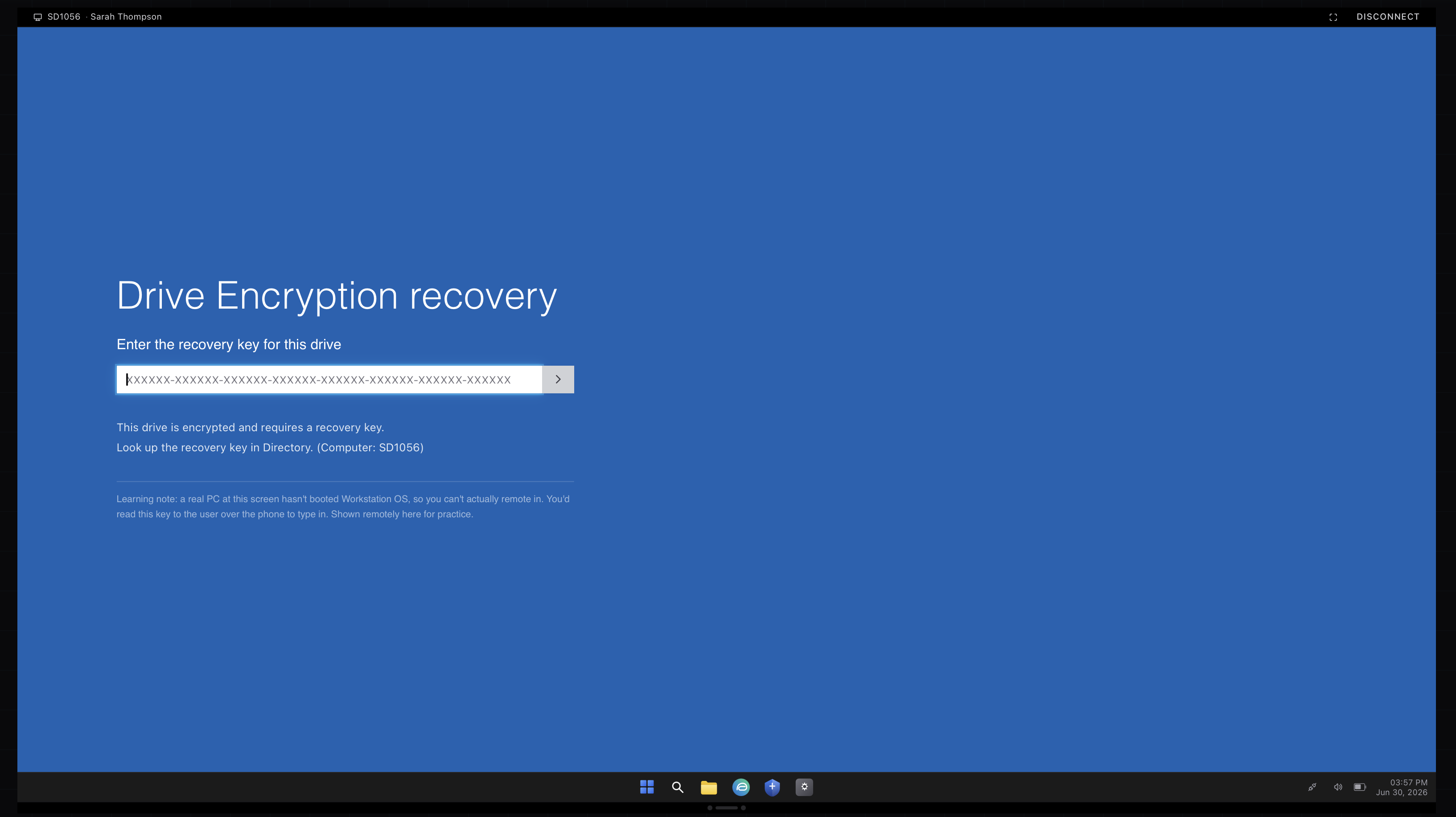
The classic ticket is a user staring at a blue recovery screen that wants a 48-digit key. It usually follows a change BitLocker reads as a risk: a firmware or BIOS update, a hardware repair, a docking change, or a tweak to the boot order. The data is safe. The machine is just being cautious. The user only needs the recovery key typed in once to boot, and then it goes back to normal.
Verify before you hand over a key
A recovery key unlocks a company laptop, so reading one out is a security decision, not a formality. You confirm the caller is who they say and that the device is actually theirs before you give it. The same care that applies to a password reset or an MFA reset applies here, for the same reason.
Practicing the lookup
In the simulator, a BitLocker recovery prompt arrives as a ticket, and you verify the caller, find their device, and read back the key, the full sequence rather than the headline. The recovery panel above is from that flow. After a few, the blue recovery screen stops being alarming and turns into routine.