ServiceDesk Simulator

The Support Toolkit · Module 4 of 16

Company Chat

Most support now happens in a chat window. Asking one good question beats six vague ones, and tone does more work than any script.

Supporting somebody over chat comes down to which question you ask next and how you word an instruction for a screen you cannot see. Every word of it is timestamped and stays.

Part one

On the job

Chat as a support channel: asking the one question that splits the problem, giving an instruction somebody can follow on a screen you cannot see, and the tone that keeps a thread moving.

Chat took over while nobody announced it

A lot of the desk now runs through chat, and it goes every direction. A user messages you on Teams or Slack for help, and you turn that into a ticket and sort them out from there. You message users back for the detail you need, you ask a colleague when you are stuck, and you pull in another department when a ticket needs rights or knowledge you do not have. People outside the company reach you through a chat widget on a ServiceNow or Zendesk portal. For a lot of desks the first contact on most tickets is somebody typing one line into a box.

It looks like the easy channel. On a call you hear the hesitation, you hear the sigh when you ask them to restart it again, and you know they are still on the line. In a chat you have a cursor and a gap, and the person on the other end is answering you between two meetings.
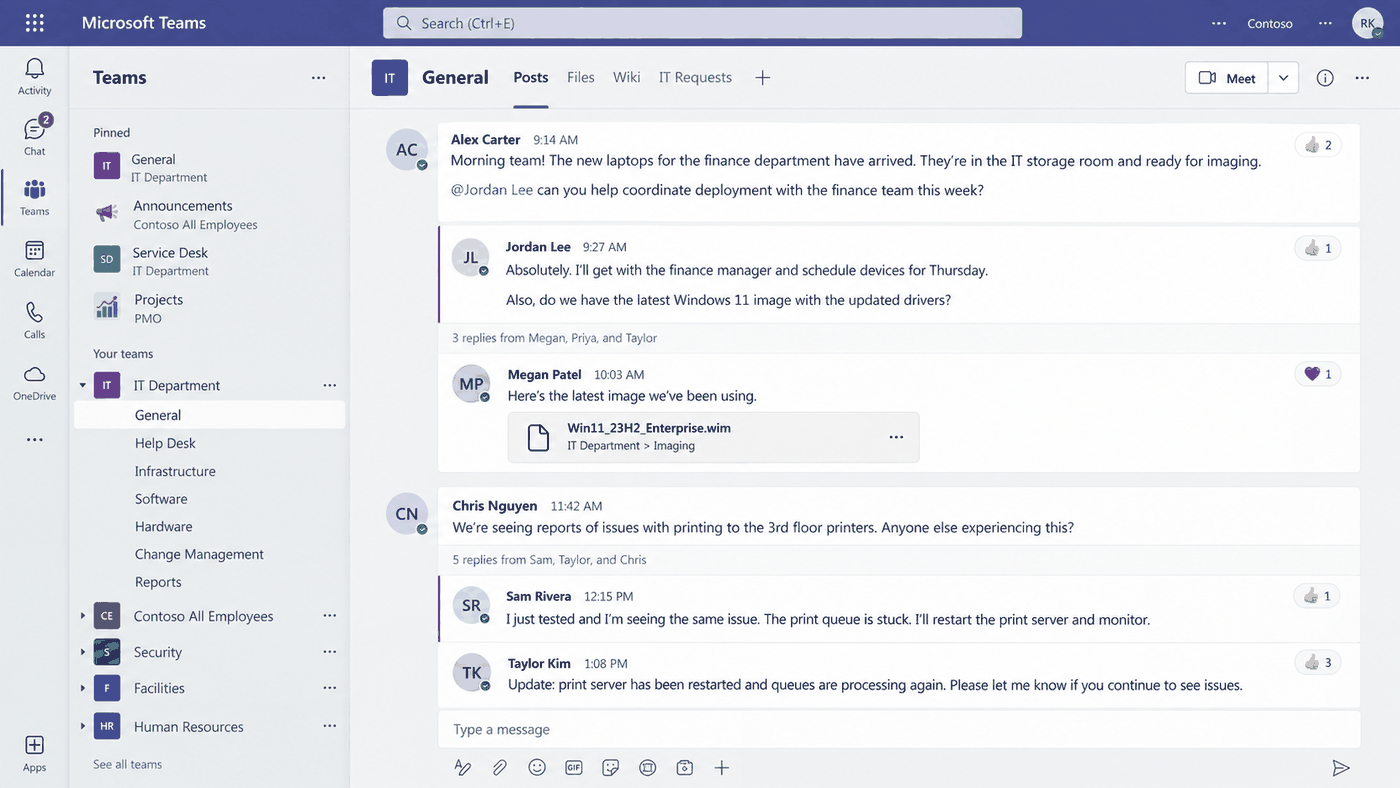
An illustration of a team chat workspace: a left rail listing pinned channels and an IT Department team expanded into General, Help Desk, Infrastructure, Software, Hardware, Change Management and Reports, beside a General channel showing posts with threaded replies, an at-mention, a shared file and reaction counts.
An illustration of the workspace most of this now happens in. The rail on the left is the part worth reading: a desk that lives in chat has a channel for every kind of question, so the first decision on any question is which channel to put it in. Everything posted is timestamped and stays, so anything you type can be quoted back at you months later.

Microsoft Teams is a trademark of Microsoft Corporation. ServiceDesk Simulator is not affiliated with, endorsed by, or sponsored by them.

What each channel hands you

A call

  • Tone tells you how bad it really is.
  • You know they are still there.
  • Only what you write down survives it.
  • One at a time, and it owns you until it ends.

A chat

  • Every word is a record, already timestamped.
  • They are doing three other things while answering.
  • You can look something up mid-sentence.
  • A four minute gap reads as being ignored.

Response time is what you are measured on here. Most desks set an expectation for the first reply, and a user who gets "on it, give me ten minutes while I check the mail server" at minute one will wait happily. A user who gets a perfect answer at minute twelve, with silence before it, has already messaged your manager.

"Still looking into this" every few minutes is the only evidence the user has that the thread is alive, and it costs you four seconds.
One question, then wait

The most common way a new tech wrecks a chat is to open with everything at once. What is the exact error, when did it start, does it happen on your laptop too, have you restarted, what is your asset tag. Five questions get one answer back, usually the easiest one, and now you are guessing which.

Ask the single question whose answer cuts the problem in half, then stop typing. "Does it happen on webmail as well" splits a mail fault into the account or the device. "Is anyone else on your floor seeing it" splits a network fault into one machine or one switch. Either answer halves the work, and you asked for four words.

That second one is a scope question, and it is one of four questions that together separate what somebody reports from what is actually wrong, before you have diagnosed any of it. They are the same four in every channel and they are worked through in Voicemails, where a message is all you get and every follow-up waits for a callback.

The loop that does the diagnosis

Ask one
Stop typing
Read the answer
Halve the problem
Ask the next
Four turns of this is a diagnosis. One message with five questions in it is a thread nobody can follow afterwards, yourself included.

Closed, open, and the error string

A closed question has a small set of answers: yes, no, a number, one of two things. An open question asks somebody to describe. Both are right at different moments, and the moment decides which.

When each one earns its place

Closed

  • "Does it happen on webmail as well?"
  • Answers in one word, so it splits the problem.
  • Your opening move on any report that names a symptom you can split.

Open

  • "Walk me through what you did before it stopped."
  • Gets you the detail you did not know to ask for.
  • For a report too thin to split, and for the point where a run of closed questions has run out.

Open with the closed question that halves the problem, then keep going closed, and spend an open question only where a one-word answer would tell you nothing. And get the error message with your own eyes. "It says something about a certificate" gives you a category; the string itself, character for character, gives you the fault. Ask them to type it out exactly or send a picture of it.

Leading question
"It is not unplugged, is it?" People agree to be helpful, and you have just confirmed something nobody checked.
Double question
"Is it plugged in and does the light come on?" You get one answer and never learn which half it was about.

Directing somebody through a screen you cannot see

Assume nothing about what is in front of them until they have told you. They are on a phone, or a different version, or a screen that has been redesigned since the last time you saw it.

Four habits that make text instructions work

One per message Send one thing to do, then wait. A numbered list of six steps gets step one done and step four guessed at.
Name it as it appears Use the words printed on their screen, in the same order they will meet them: Settings, then Mail, then Accounts.
Ask what they see Ask what it says now, never whether it worked. "Yes" means they want it to have worked. The text they read back is evidence.
Say what should happen Tell them what the next screen looks like. Then they know they are lost before you do.
What you typedWhat came back
"Update your mail server settings." A settings screen with four empty boxes, one guess, and "it still does not work".
"Tap Settings, Mail, Accounts, then your work account. Tell me what the Host Name box says." The wrong hostname, read out loud, which was the fault.

Ask for a picture, then leave a record

"Send me a screenshot" is often the fastest diagnostic instruction on the desk. It ends the argument about what the error says, it shows you the version of the screen they are genuinely looking at, and it usually carries something they never mentioned: the wrong account in the corner, an offline marker, a sync icon spinning since Tuesday.

Ask the moment a description goes vague. Say how to take one on the device they are holding, and ask for the whole screen, because the part they think matters is a guess. On anything with personal data in it, mind what else is in the frame: a screenshot with somebody else's record open sits in the ticket forever.

What has to survive the conversation

Chat opens
Ticket raised
Their words
What you tried
Outcome in writing
The next tech reads the ticket and never your chat thread, so every one of these five has to end up in the ticket.

Raise the ticket while the conversation is still running, paste the error string into it exactly as they sent it, and close on a line the user can read back later: what you changed, and what to do if it returns.

That closing line is the chat version of the read-back a call ends on. On the phone it is said out loud and confirmed before the line drops, which is why The phone drills it. In a thread you type it once and it is still there a week later.

Tone, and knowing when to stop typing

"That is not possible" is true and useless. "Here is what we can do" is the same fact with a next step attached, and it costs nothing to type.

Match the person's register and stay level under their panic. Somebody firing short blunt lines wants the same back, and somebody writing in paragraphs wants a sentence that shows you read it. When they arrive in capital letters, say what you are doing right now and when you will come back. Apologize once, for the thing that actually happened.

Keep typing, or pick up the phone

One stepLong procedure
Routine ChatChat, one step at a time
Deadline or outage ChatCall
Across is how involved the fix is, down is how urgent it is, and the cell where they meet says whether to keep typing or pick up the phone. Anyone who is upset or panicking gets a call whatever the fix, because typing at somebody who is panicking reads as a queue. More on the call itself in The phone, and on messages left for you in Voicemails.

Part two

How this works here

The Company Chat panel, the two very different conversations that run through it, and what it models.

Two conversations, one panel

All of it runs through one panel, Company Chat, opened from the speech-bubble icon in the top bar. Two different conversations run inside it, and both are typed into the same box at the bottom, the one that says Type a message....

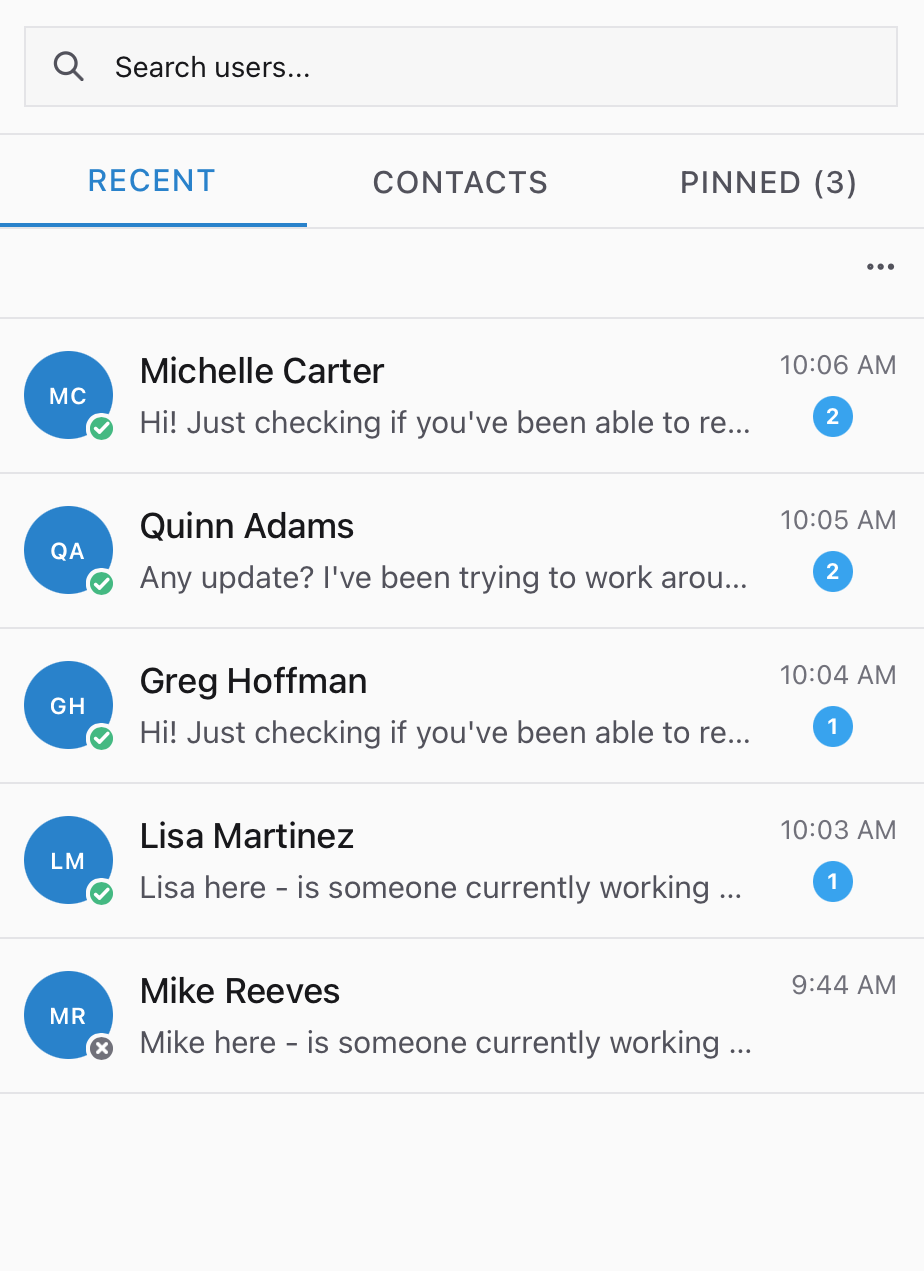
The Company Chat panel on its Recent tab, listing five people with an unread count beside four of them, a search box above and tabs for Recent, Contacts and Pinned with three pinned.
Four unread badges is four people who each think they are your only conversation. Pinned is where the company channel and your own team sit, one tab away from the person waiting on an answer.

Who you are typing at

The person who raised it

  • An AI voicing that employee, holding their ticket and their personality.
  • They are the user: the steps happen in their hands, on their machine.
  • A vague instruction gets pushed back on, in character.
  • They message you unprompted while their ticket sits in your queue.

Your IT team

  • Colleagues: a team channel, the techs' own DMs, and the team lead.
  • Ask about the open ticket and a tech hands over the next step, one step at a time.
  • Jay Brennan, the lead, answers the first ask, then sends you to the documentation on the second.
  • He answers straight once you have read the docs or asked the team.

The second ask on the same ticket sends you to the documentation on purpose: the job is working a fault out from what is written down. Come back having read it, or having put it to the team first, and he answers straight, which is what a real team lead does too.

Ask your IT team when you are stuck. The ticket itself closes only from the chat with the person who raised it, because that thread is where the engine reads your fix from.

What the panel stands in for

Left column is this panel. Right column is the real thing it stands in for, under the name the industry uses.

In hereOn the job
The thread with the person who raised the ticket A Teams or Slack message with an end user, or the chat widget on a ServiceNow or Zendesk portal
The IT Team channel Your own team channel: where you ask before you escalate
The team lead DM The senior tech who wants to know what the runbook said before you knock
Quick replies… Canned responses, or macros: the answer you type a thousand times, stored once
Start voice call Moving a chat up to a call without leaving the window
Recent and Contacts Your live threads, and the company directory sitting behind them
Chat with user on Company Chat, on the ticket checklist The rule at most desks that the user hears from you before anything gets touched
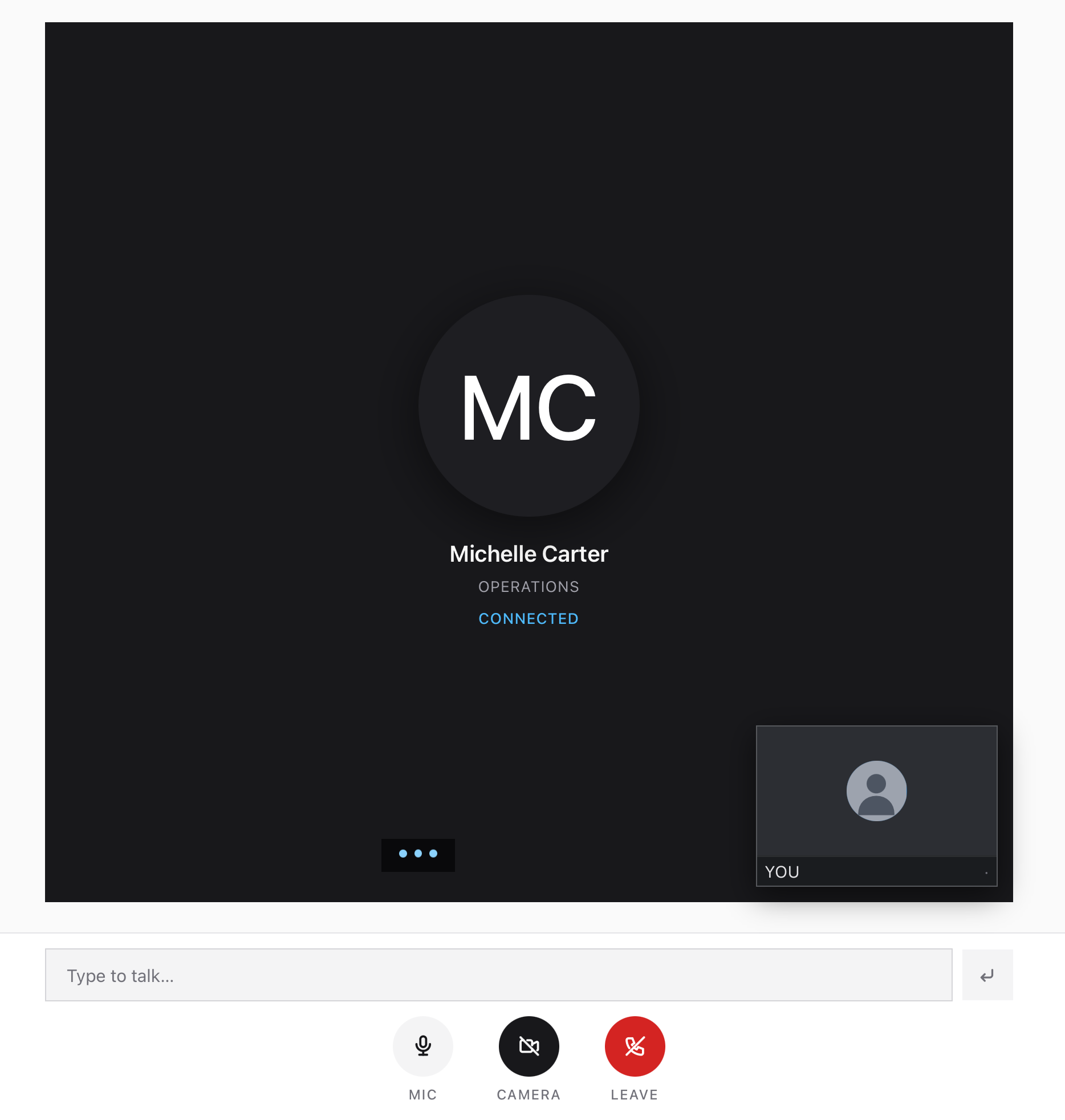
A voice call opened from a chat thread, showing Michelle Carter of Operations marked as connected, a small self-view tile, a Type to talk box, and mic, camera and leave controls.
Start voice call is worth reaching for sooner than most people do. The record still has to be written: the thread stays open behind the call, so everything agreed out loud goes back into it afterwards.

Two things about that control before you go looking. A Start video call sits beside it on the same threads, doing the same job with a camera. Both are Pro: on a free account pressing either opens the upgrade prompt, so read the rest of this page as what the escalation looks like.

Start voice call appears on a chat with one employee: the people who raise tickets and the coworkers beside them. The company channel, your IT team and every tech in it are chat only.

Verifying who you are talking to belongs to Directory, and the chat here assumes it. On a real desk the thread is where that happens, in writing.

The company channel

A company-wide channel sits pinned above both, and during an outage that is where the announcement goes. Put an estimated time in it: a post carrying one resolves the outage tickets sitting open behind it, and a post missing one earns you a nudge to go back and add it. Everything else in there is broadcast: written to the room, answered by whoever feels like answering.

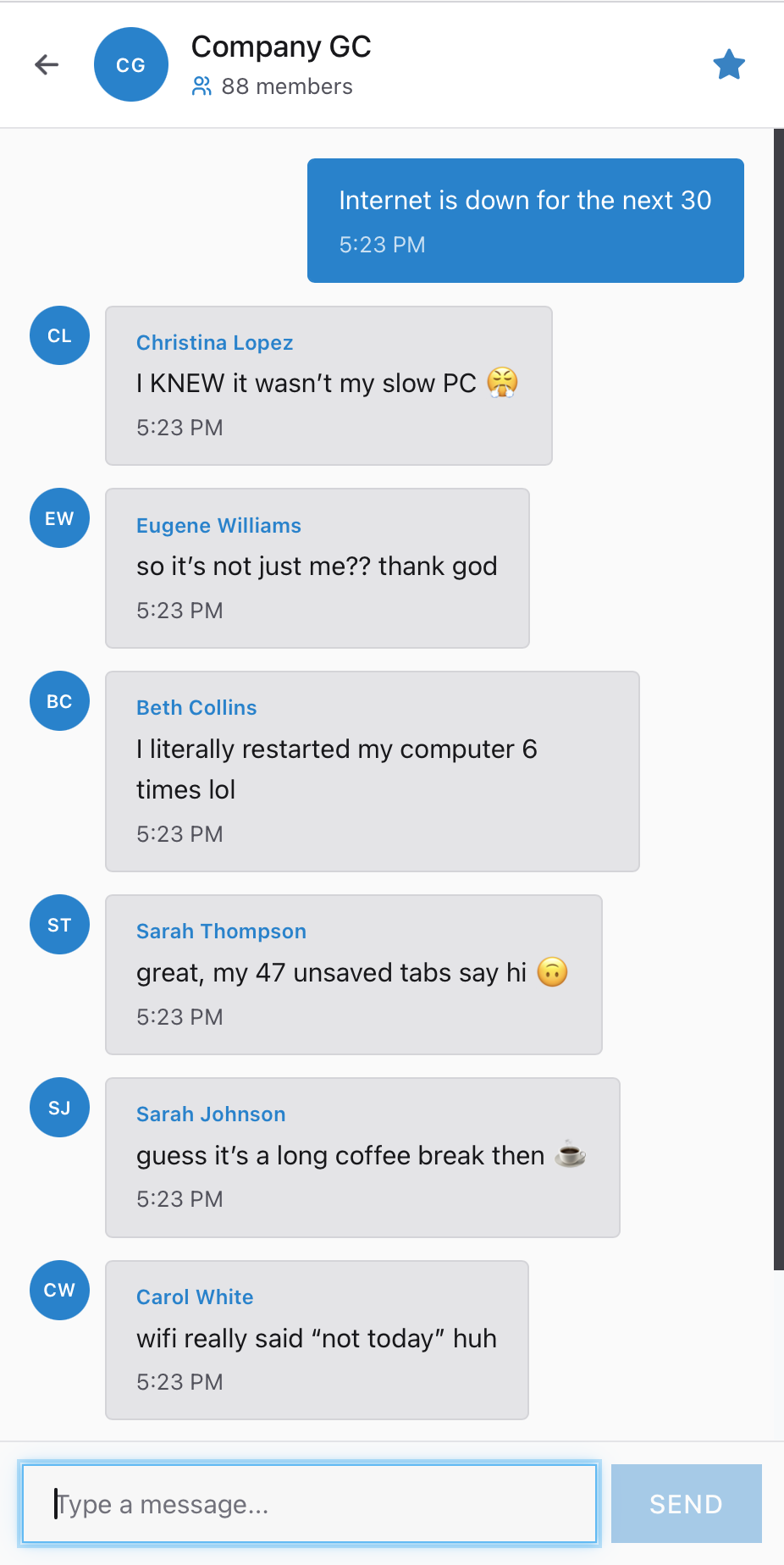
The Company GC channel in Company Chat with 88 members, showing the technician post "Internet is down for the next 30" and half a dozen colleagues replying, above a Type a message box and a Send button.
The whole company reads whatever you put here, which is why the outage notice goes in it and the diagnosis stays in the ticket. A post with the estimated time in it resolves the outage tickets already open; a post saying you are looking into it starts a thread you then have to manage.

Part three

Practice

Guide a fix end to end over chat on a ticket that chat alone can close, then read your own transcript back.

Open this module in the simulator