Updates are supposed to be the boring background hum of a working computer, and most of the time they are. The tickets come from the exceptions. An update that will not install. A machine stuck rebooting. A webcam that quit the moment a driver changed.
Two different things people lump together
Windows Update handles the operating system itself, the security patches and feature updates Microsoft ships. Drivers are the small pieces of software that let Windows talk to specific hardware, the graphics card, the audio chip, the webcam, the network adapter. They are separate, but users blur them, and a “my screen looks wrong since the update” ticket is often a driver issue riding along with a Windows update.
Why updates generate tickets
An update can stall partway and refuse to finish. A laptop that sat switched off for a month comes back with a backlog of updates and grinds for an hour. An update reboots a machine in the middle of someone’s work and they panic. Now and then an update genuinely breaks something and you have to roll it back. The job is telling a slow-but-fine update apart from one that is actually stuck.
When a driver is the culprit
Hardware that suddenly stops, no sound, a black external monitor, a camera that video calls cannot find, points at a driver more often than at the hardware itself. The usual move is to update the driver, or to roll it back if the trouble started right after it changed. Graphics, audio, webcam, and network drivers are the ones you will touch most, because they are the ones people notice the instant they fail.
Building the instinct
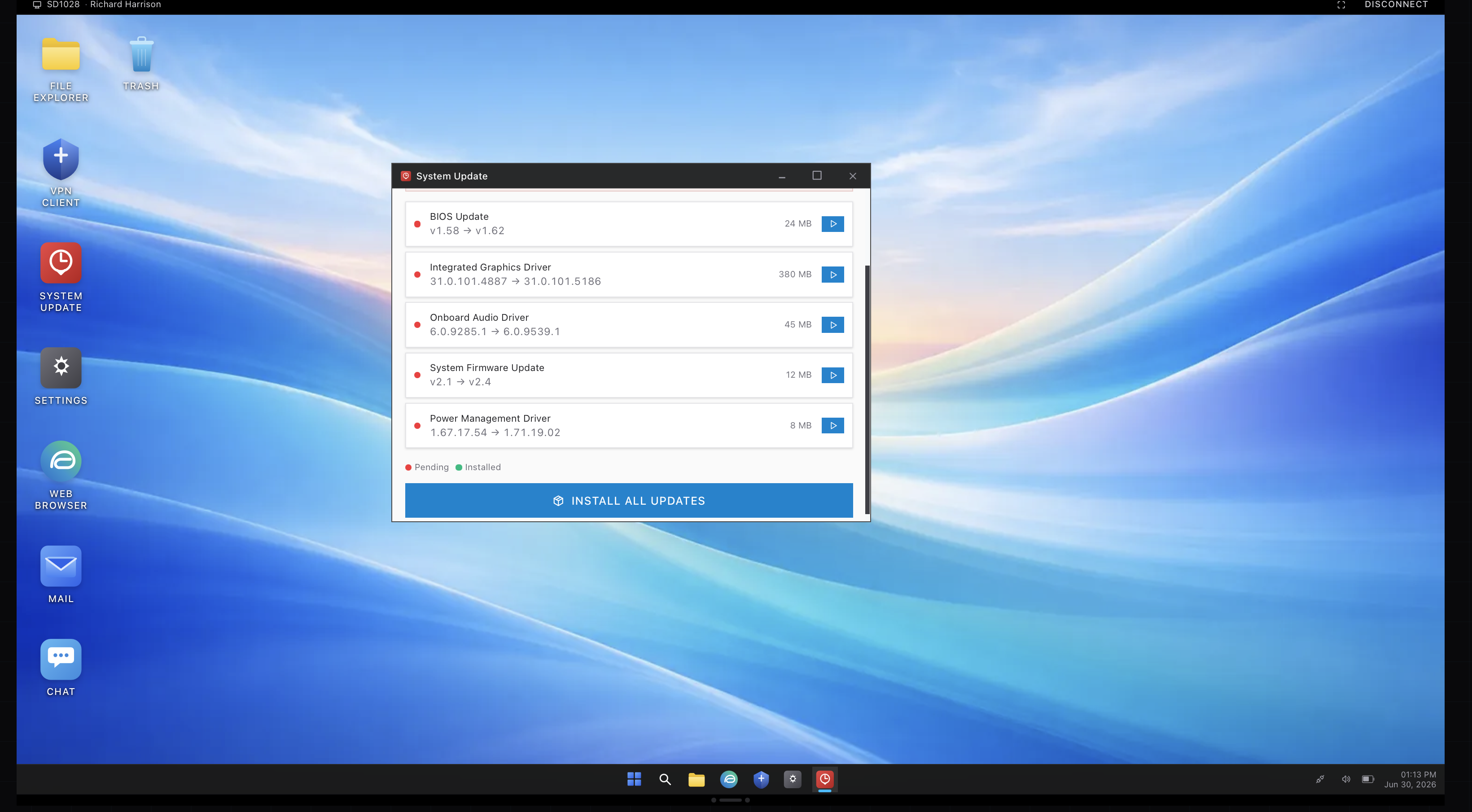
Most update and driver tickets stop being hard once you have seen them, but the first few are confusing because everything looks vaguely alike. The update screen above is from the simulator, where a stalled update or a bad driver shows up as a ticket you actually have to close rather than just read about. After a handful, you stop guessing and start checking the right thing first.