
Spend an hour on any IT careers forum and someone will tell you to build a home lab. It is good advice with a problem: nobody explains what that means for a help desk hopeful, so beginners either buy a rack of used servers they did not need or freeze up and build nothing.
I want to give you the honest version. Some of the home lab canon is genuinely worth your time. Some of it is hobbyist territory dressed up as career advice.
What a home lab is actually for
A home lab is any setup where you can do IT work instead of reading about it. That is the entire definition. No server hardware required, and for the first stretch, no money either.
The reason it matters is the interview. When someone asks how you would handle a machine that will not boot, there is an audible difference between a person reciting steps and a person remembering the time they did it. Everything in a lab exists to manufacture those memories. Judge every purchase and project against that test: will this give me a story about doing the work a help desk does?
The zero-dollar starting point
Start with the machine you already own. Install VirtualBox, which is free, download a Windows evaluation copy from Microsoft, also free, and you have a computer inside your computer that you can break without consequences. Snapshot it, wreck it, roll it back, wreck it a different way. Practice a clean Windows install, dig through Event Viewer, break the network settings and repair them, fill the disk and clean it up.
The next step up is the classic one: a used business desktop or laptop off eBay for well under a hundred dollars. Wipe it, reinstall Windows, swap the RAM or the drive. There is a kind of confidence with hardware that only comes from having opened the case, and the A+ exam expects exactly that familiarity.
The Active Directory lab, and its honest limits
The canonical next project is standing up Windows Server in a VM and building your own domain. You install Active Directory, create test users, join a second VM to the domain, and push a group policy or two. This teaches you real things, and if it sounds fun, do it. Weekend well spent.
But be clear about what you end up with, because this is where the standard advice oversells. You now own a directory with four fake users, nothing broken, and nobody calling. The daily reality of help desk AD work is a locked account with a frustrated human attached, an access problem hiding three layers deep in group memberships, a password reset where you have to verify a stranger over the phone. Your home domain has none of that, and after the build there is weirdly little to do in it. The lab teaches the plumbing. The job is the tickets.
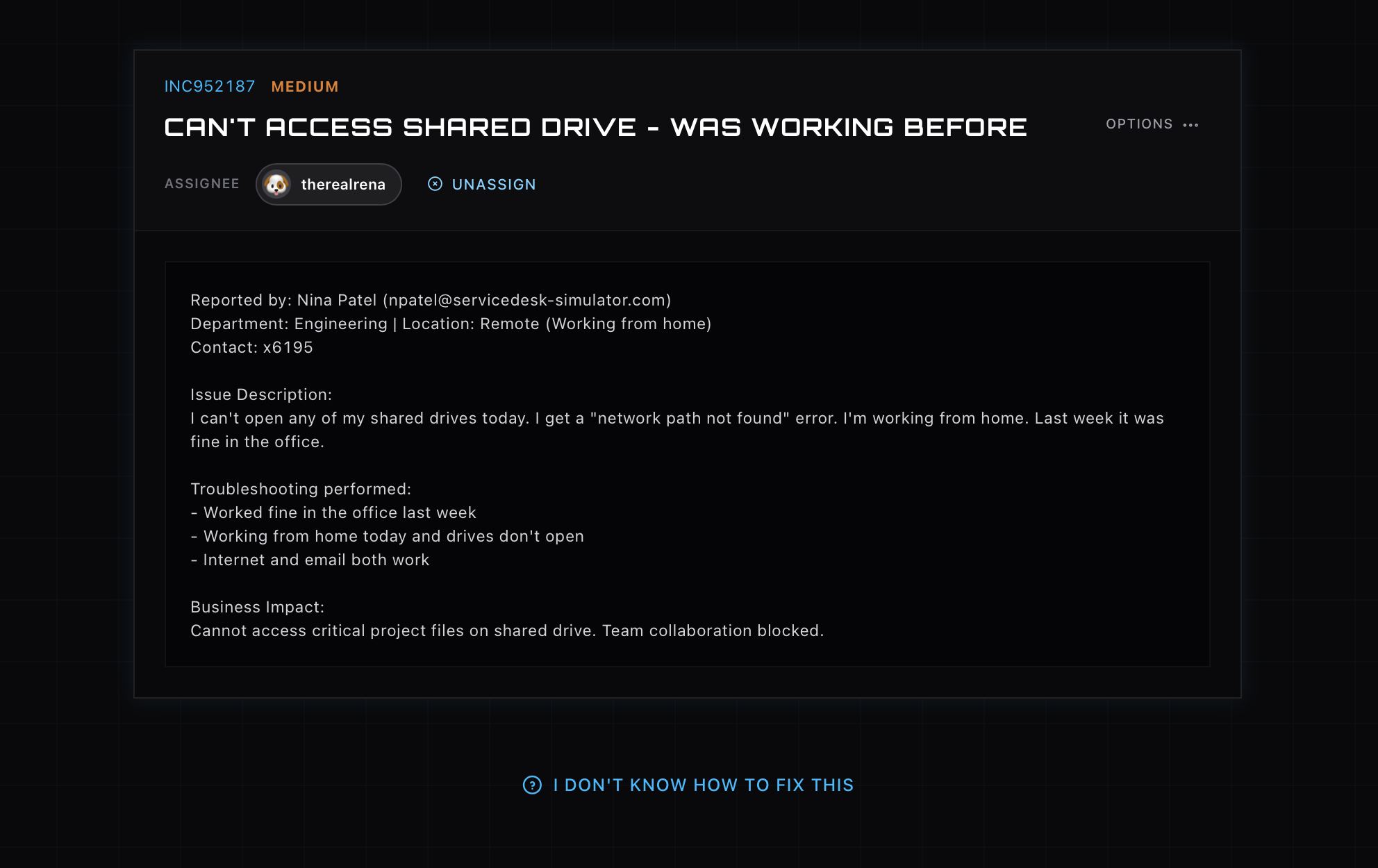
Practicing the tickets themselves
That gap is the reason the ServiceDesk Simulator exists, and it is the tool I would pair with any home lab. It is the other half of the equation: a working help desk with a live queue, callers who explain problems badly the way real users do, a populated directory where accounts genuinely lock, machines to remote into, printers that break, a whole company to support. You get the reps of running tickets end to end, triage to resolution, hundreds of times, which is precisely the experience a first job requires and a home server cannot generate.
The combination is stronger than either alone. The lab teaches you what is under the hood. The simulator teaches you the job. Interviewers ask about the job.
Making it count on paper
Whatever you build, write it down while it is fresh, because vague practice evaporates and specific practice becomes resume material. “Familiar with Windows” is filler. “Built a two-VM Windows domain with Active Directory and group policy” is a claim, and “resolved 300+ simulated help desk tickets covering account lockouts, network troubleshooting, and hardware failures” is a claim with a number on it. Claims invite questions, and questions about things you have actually done are the easiest interview questions there are.
Put it in a projects section on your resume, speak about it plainly, and you have covered the exact gap that sinks most no-experience applications. Not the missing job history. The missing evidence that you can already do the work.