
A company with a few hundred employees has a few hundred laptops, a wall of monitors, and a drawer of accessories, all of it moving between people, repairs, and storage. Someone has to know which machine is whose and where everything is. That tracking is IT asset management, and it sits behind a steady stream of help desk work even though users never see it.
What it covers
Asset management is the record of a company’s hardware across its whole life. A laptop gets bought, imaged, and put on the ready shelf. It gets assigned to a new hire. It might go in for a repair, come back, get reassigned. Eventually it is retired and wiped. At every step, the asset record says what the device is, what state it is in, and who holds it. Do that well and you can answer “where is asset such-and-such” in seconds. Do it badly and machines quietly vanish.
Asset tags and why they matter
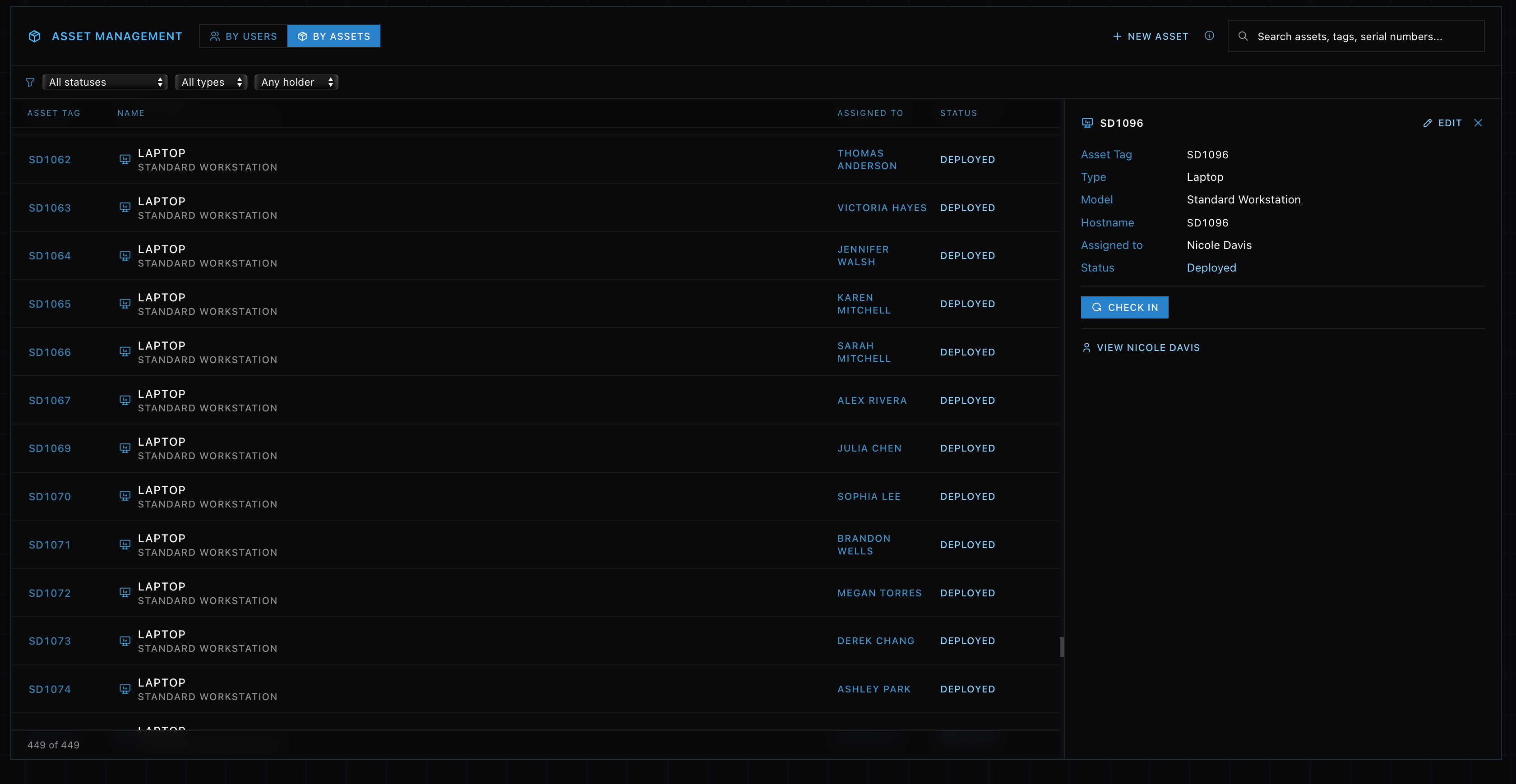
Every tracked device gets a unique asset tag, usually a label with a barcode stuck to the case. That tag is the link between the physical machine and its record. Scan or type the tag and you pull up the laptop’s history, who has had it, what it is, what has been done to it. Consistent tags are what turn a pile of identical-looking laptops into an inventory you can actually manage.
Onboarding and offboarding
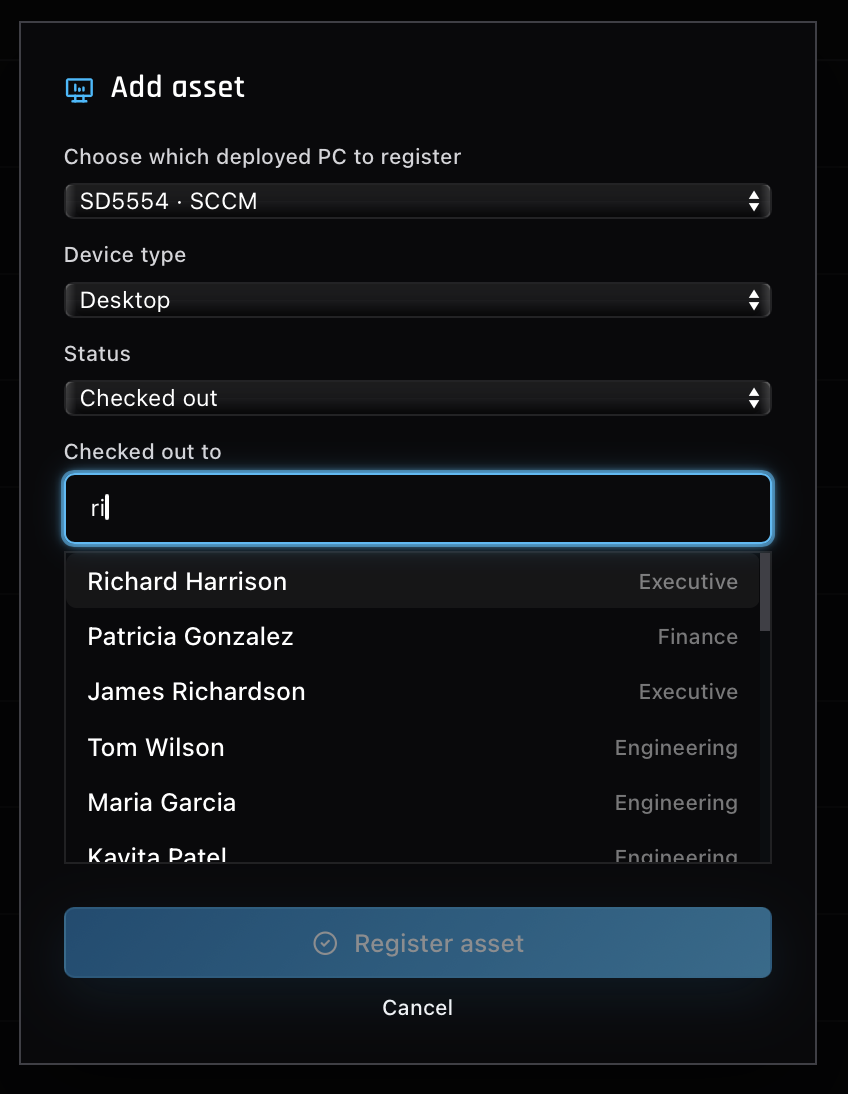
Two moments put asset management front and center. When someone joins, you check out a machine from the ready shelf, the laptop that came off a deployment, and tag it to them along with a monitor and accessories. When someone leaves, you collect that hardware back, confirm it returned, and get it ready to reissue. Both are routine tickets, and both fall apart if the records underneath are not kept straight.
Why it is worth the effort
Good asset tracking pays off in places users never notice. It keeps audits honest, controls cost by surfacing what the company actually owns, and supports security, since you cannot protect or wipe a device you forgot you had. A lost laptop is a smaller problem when you know exactly what was on it and that it was encrypted, which ties back to BitLocker.
Practicing the lifecycle
In the simulator you build a laptop, it lands on the shelf, and you hand it to a new hire on an onboarding ticket, then take hardware back when someone offboards. The registry above is where that state lives. Working the full chain a few times makes the real thing feel like a process rather than a guess.