I spent a little under two years on a help desk before I moved to a SOC, and I had already been doing a chunk of the job without the title. The phishing reports I triaged and the “I never signed in from Brazil” tickets were security work, filed under support. So was the laptop I pulled off the network because the antivirus was screaming. The move was mostly getting the people on the other side of the escalation to notice.
Why the SOC hires from the help desk
A security operations center spends its day deciding whether something is normal for this company and this user at this hour of the night. The help desk is the one team that already knows what normal looks like, because it talks to the users all day. A help desk tech knows the accounts payable lead gets locked out every month because her phone caches an old password, and that knowledge turns a false positive into a thirty-second close. The analyst who has read your escalation notes for a year also has a better sample of your judgment than any interview gives.
The tickets that are already security work
Look at a month of your closed tickets and sort out the ones a SOC would have taken. A user forwarded an invoice that looked off, and you checked the sender’s real address, where the link went, and whether anyone else got it. That is a phishing investigation, minus the tooling. A sign-in alert came in from a country the user has never visited, and you reset the password, signed out every session and checked MFA. That is an account compromise response. A lockout that keeps coming back from one IP while the user swears they are at their desk is either a stale credential on a forgotten device or someone guessing passwords. Malware is the obvious one. Pulling the cable and asking the user what they opened is the first fifteen minutes of every endpoint case.
The difference is scope. The desk fixes the one user. The SOC asks who else got the email, what else that IP touched, and what the malware did before it was caught.
What the SOC sees when you escalate
From the other side, your escalation is one more item in a queue of alerts, and the analyst has about a minute to decide where it goes. “User says email is suspicious, please check” goes to the bottom, because the analyst now has to find the message, work out whether anyone clicked, and call you to ask what you already did.
Now the other kind. Reported by this user at this time. Real sender address behind the display name. Link went to this domain. User entered a password at 10:14, so you already reset it and signed out every session. Three other mailboxes got the same message. That note gets worked first because it is half finished. When a SOC seat opens, the manager asks the team who on the desk sends good escalations. My name came up.
Write the note for a reader who cannot call you back: facts in order, what you checked, what you did not get to, and your guess about the cause last, labeled as a guess.
What to learn on the side
Three things. Learn to read logs on a machine you own. Event Viewer on a Windows laptop is where I started: failed sign-ins, service crashes, the sequence around an install that went wrong. The skill is following a timeline across sources until it explains the symptom, and a SIEM asks the same of you with far more data.
Second, identity. In a company on cloud mail, most intrusions begin as a sign-in, so most SOC alerts are about who signed in from where with which factor. Learn how MFA actually decides who gets in, what conditional access is, why a session token lifted from a browser walks past both, and what impossible travel means in practice.
Third, pick one SIEM. Splunk has a free license and the most tutorials; Sentinel is what you meet at mid-size companies on Microsoft 365. LetsDefend and TryHackMe both put you in front of a console with alerts in it. The target is writing a search from a blank box, by user, source IP, host and time window, without looking up the syntax.
Security+ gets you past the HR filter, and the comparison with CySA+ and BTL1 is worth reading before you pay for any exam.
How to ask for the move
Ask the SOC before you ask your manager, and ask for work rather than a title. Tell the analyst you escalate to that you want to see what happens to the ticket after it leaves you. Offer to take the desk’s phishing triage. Two months later you have context and a reference inside the team.
Then tell your manager that you want to move into security within the company and ask what they would need to see. Managers lose people to other companies all the time, and losing one to the floor above is the version most will help with. The internal interview questions will be about tickets you have already worked, so be able to walk one from report to close without notes.
When to go
Twelve to twenty-four months on the desk. Under a year you have too few incidents to talk about; after two, the desk has taught you what it will. I went at twenty months, and what I would change is starting the SIEM practice six months earlier.
Pay argues against waiting. The Bureau of Labor Statistics put the May 2025 median for information security analysts at $129,180, with the lowest ten percent under $75,090, and a first SOC seat sits near the bottom of that range.
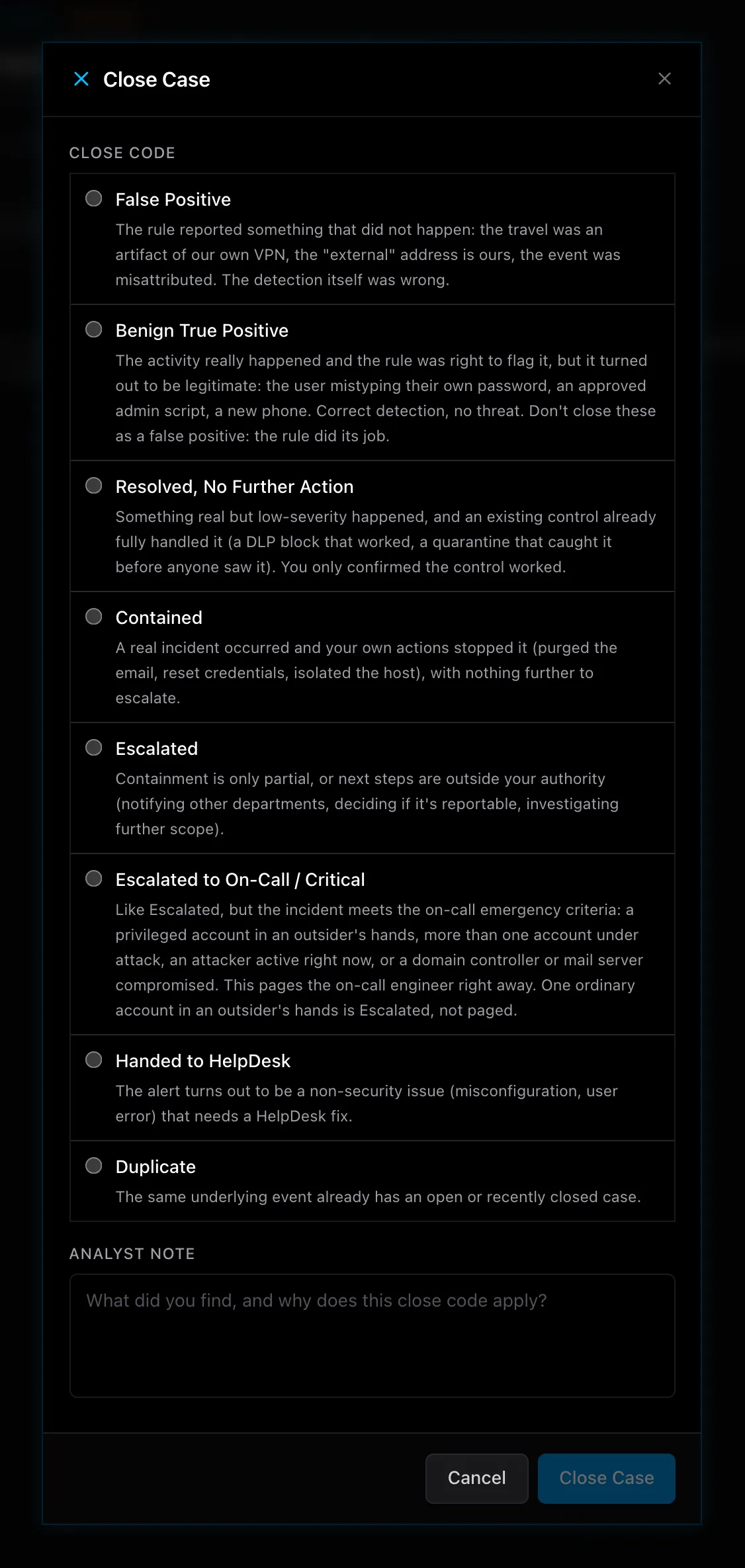
The other thing I would do differently is practice the handoff from both sides. The ServiceDesk Simulator runs the help desk side, a ticket queue with a mail security console behind it, and its Security Simulator, in beta, is the SOC seat the desk escalates to: an alert queue, an identity console, and a close dialog whose eight codes include handing a case back to the help desk. The Security Simulator’s beta has a waitlist if you want to try the SOC half.